
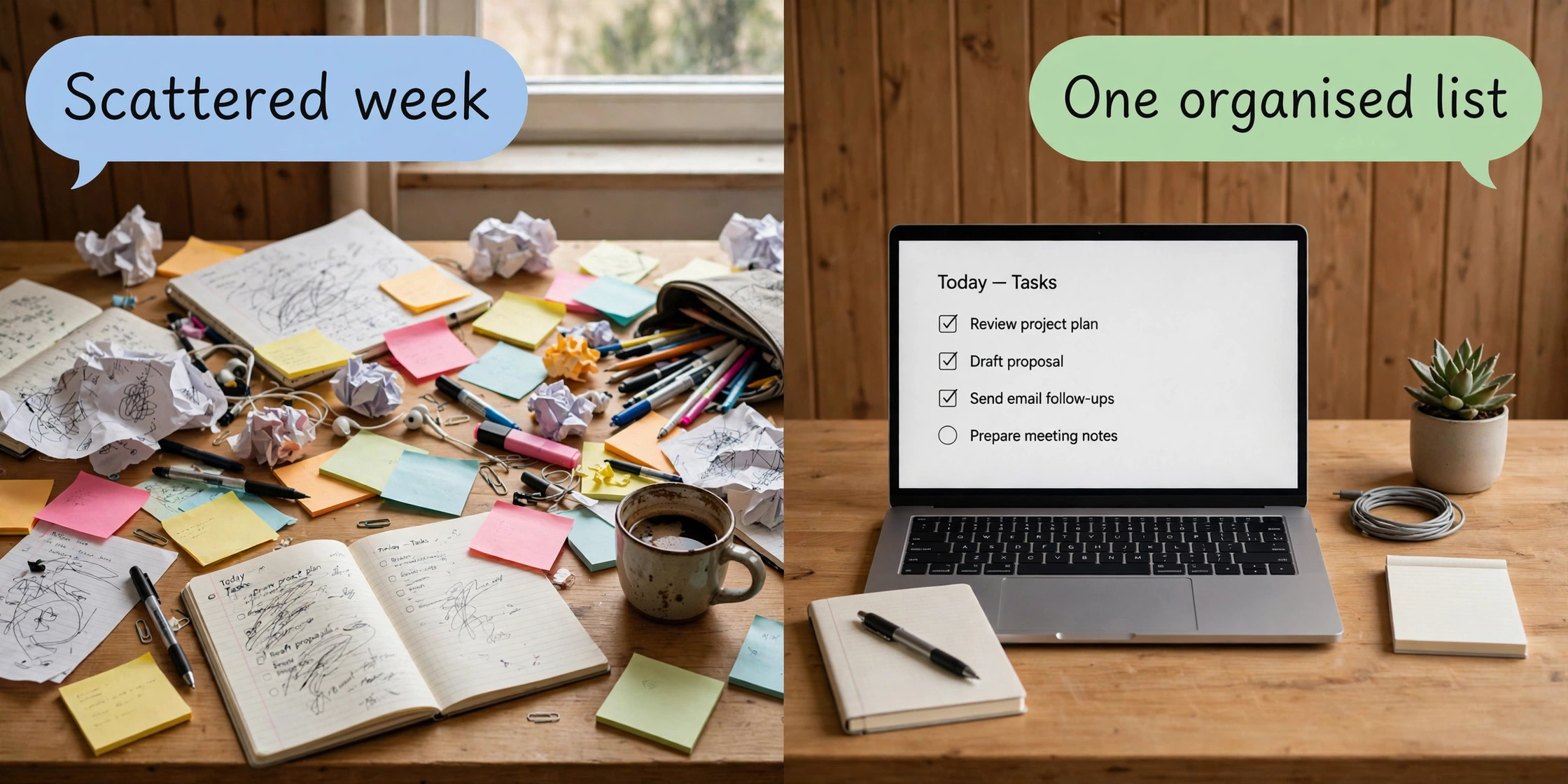
Surveys of freelance work keep landing on the same uncomfortable number. Around 6 hours a week go to admin tasks alone, work that earns nothing directly, and scattered client work is a large part of why that number stays high. Deadlines live in email threads, feedback sits in chat apps, and the next task hides in a notebook nobody opens. That is why choosing the best project management tool for freelancers matters more than picking the prettiest board. The right tool turns that scattered week into one visible list, and the wrong one adds another place to check.
This guide compares exactly 8 tools on the terms that matter to a solo worker. Every price below is the solo or single seat cost, checked against vendor pricing pages in October 2026, with annual billing shown first and monthly billing where it differs. Prices change, so treat the checkout total as the final word. Each tool gets a verdict on who it suits, and the guide ends with a best pick by job table.
The Short Answer for Solo Workers
If you mostly juggle tasks and deadlines, start with Todoist Pro or ClickUp Unlimited. Todoist Pro costs 5 dollars a month on annual billing and is the fastest way to run a personal task system. ClickUp Unlimited costs 7 dollars a month on annual billing and gives you far more views, docs, and time tracking for only 2 dollars more.
If your work is visual, Trello Premium at 10 dollars a month on annual billing is the easiest board to show a client. If you sell thinking as much as deliverables, Notion Plus at 10 dollars a month on annual billing pairs tracking with notes, wikis, and client pages. If you bill by the hour, Wrike Business at 25 dollars a month on annual billing is the most complete option, though it costs more than most solo workers need. The plain truth is that the best project management tool for freelancers is the one you will open every morning, not the one with the longest feature list.
Two tools deserve a warning before you fall for their marketing. Monday.com is a strong platform, but every paid plan requires a minimum of 3 seats, so a solo freelancer pays at least 27 dollars a month on Basic or 36 dollars a month on Standard, even though only one person uses it. Basecamp Plus costs 15 dollars per user per month, and its flat 299 dollar Pro Unlimited plan only makes sense once you have a team.
What a Freelancer Actually Needs From a Project Tool
Team software is sold on collaboration features a solo worker may never touch. Resource planning, approval chains, and portfolio dashboards sound impressive in a demo and sit unused in a one person business. Judge a tool on five freelancer jobs instead, and test each during a free trial.
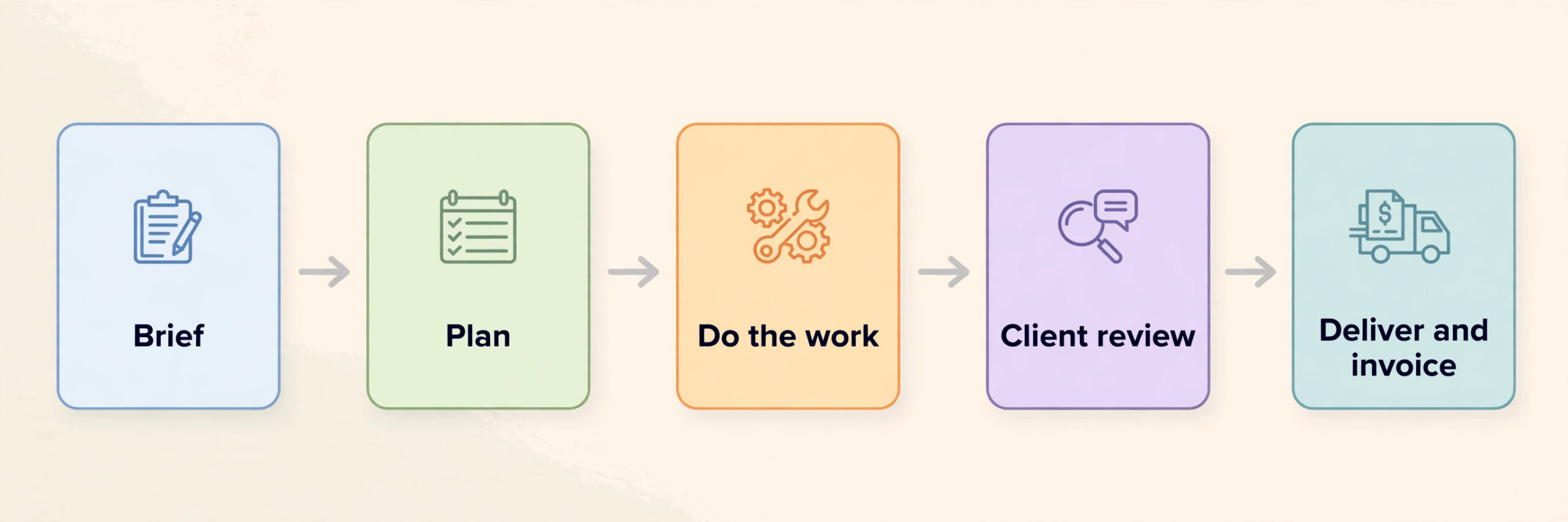
First, capture. A brief from email, a voice note, and a chat request should all land in the same task list within a minute. If capture takes longer, tasks stay scattered.
Second, deadlines you can trust. A due date is only useful if the tool reminds you before the date and shows overdue work without digging. Calendar and timeline views matter here, and cheaper plans often hold them back.
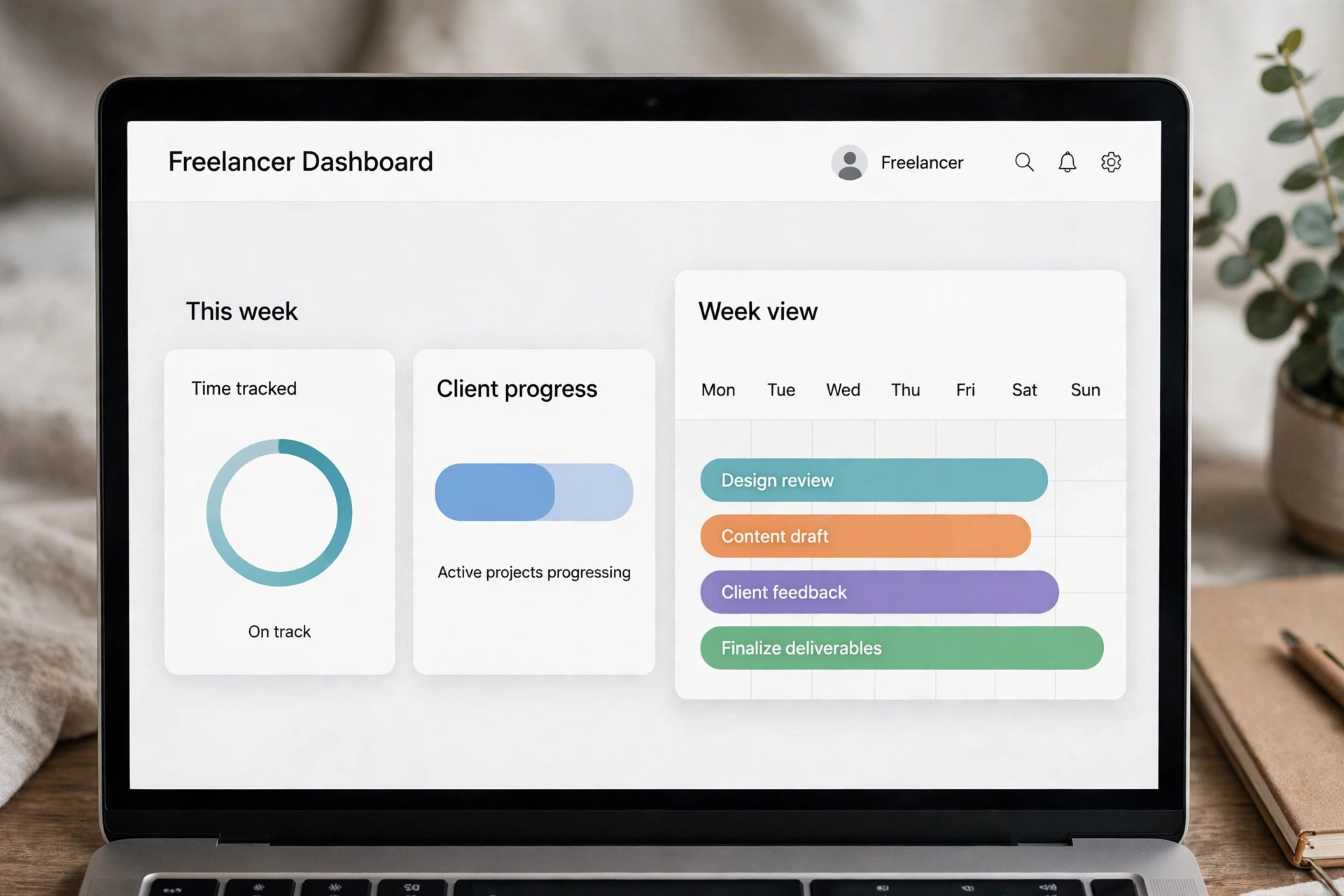
Third, client visibility without extra work. Clients ask where a project stands, and a weekly status email is unpaid labour. A shareable board or guest view that shows progress without exposing internal notes saves real hours over a year.
Fourth, time and money awareness. You do not need accounting inside a task tool, but you do need to know how long a project took and which client is eating your week. Native time tracking, or a clean export to a time tool, turns guessing into numbers you can use when you set your next rate.
Fifth, a low exit cost. Solo businesses change shape fast. A tool that exports tasks, notes, and attachments cleanly is worth more than a tool with one extra view, because the day you outgrow it, your data comes with you.
Solo Plan Prices at a Glance
The table below shows the plan a solo freelancer would realistically buy, not the cheapest plan on the page and not the enterprise tier. Annual billing is shown first because every vendor discounts it, and the monthly figure follows where it differs. Free plans are included where a solo worker can genuinely run on one. This comparison of the best project management tool for freelancers uses the same basis for every row, so the ranking is honest rather than flattered by a first year offer.
| Tool | Solo plan to buy | Price per month, annual billing | Price per month, monthly billing | Free plan worth using |
|---|---|---|---|---|
| Todoist | Pro | 5 dollars | 7 dollars | Yes, Beginner with 5 projects |
| ClickUp | Unlimited | 7 dollars | 10 dollars | Yes, unlimited tasks with caps |
| Trello | Premium | 10 dollars | 12.50 dollars | Yes, up to 10 boards |
| Notion | Plus | 10 dollars | 12 dollars | Yes, unlimited pages for one person |
| Wrike | Team | 10 dollars | Not published | Yes, with task limits |
| Asana | Starter | 10.99 dollars | 13.49 dollars | Personal, capped at 2 users |
| Monday.com | Standard | 36 dollars for the 3 seat minimum | 42 dollars for the 3 seat minimum | Yes, up to 2 seats and 3 boards |
| Basecamp | Plus | 15 dollars | 15 dollars | Yes, one project |
Read that table with two cautions. Monday.com looks mid priced per seat until you apply the 3 seat minimum, which is why its solo cost is 36 dollars a month on Standard rather than 12 dollars. Basecamp looks simple until you notice that time tracking is not included on Plus.
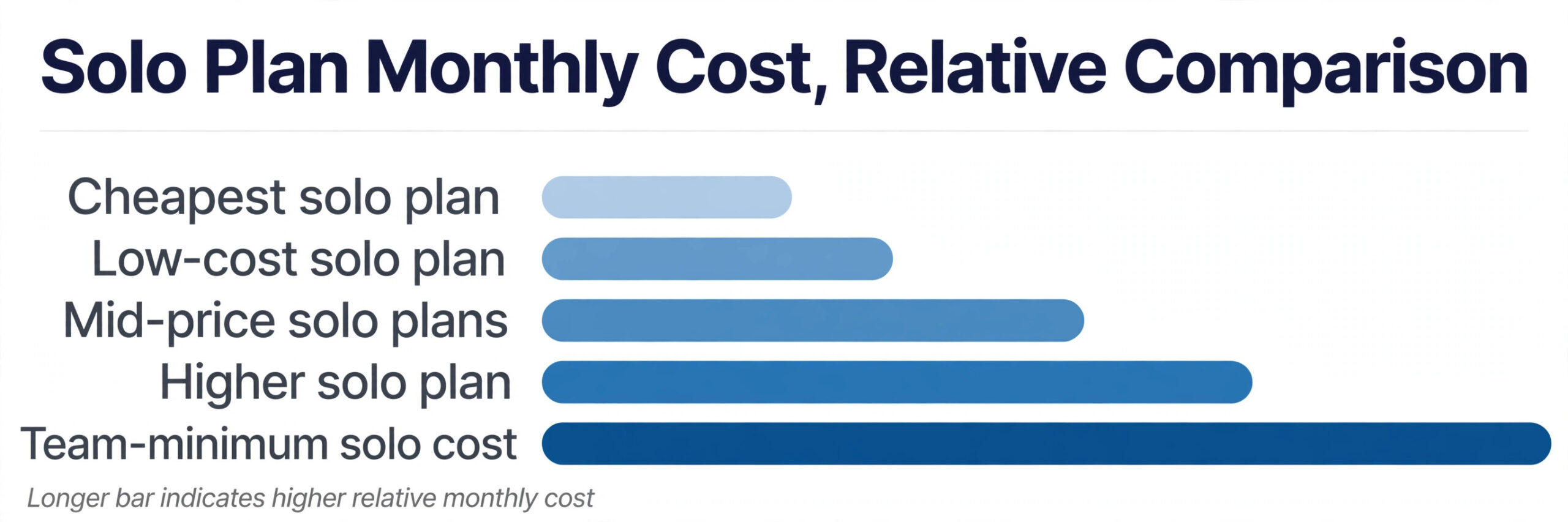
Yearly totals sharpen the picture. Todoist Pro costs 60 dollars a year, ClickUp Unlimited 84 dollars, Trello Premium and Notion Plus 120 dollars each, Asana Starter about 132 dollars, and Monday.com Standard 432 dollars for its 3 seat minimum.
The 8 Tools in Depth
1. Todoist, the Fastest Personal System
Todoist Pro is the tool to pick when your main problem is personal organisation rather than client presentation. It is a task manager first and a project tool second, and that focus is its strength. You open it, type a task in plain language, and it understands dates, priorities, and recurring schedules without a settings panel. The Beginner plan is free and genuinely usable, with 5 active projects, 3 filter views, and 5 collaborators per project. Pro lifts the project cap to 300, adds reminders, a calendar layout, full activity history, automatic daily backups, and the full AI Assist suite, for 5 dollars a month on annual billing or 7 dollars month to month.
Capture from email, a browser extension, and mobile widgets means a task rarely stays outside the system long enough to be forgotten. Filters build views like every task due this week for one client, without a dashboard. Where it falls short is presentation. There is no kanban board that impresses a client, no timeline view for showing a project plan, and no native time tracking. Team projects cap at 5 on Pro. Todoist suits a solo worker who wants the fastest, cheapest system for their own day and does not need to show clients inside the tool.
2. ClickUp, the Most Features per Dollar
ClickUp Unlimited at 7 dollars per user per month on annual billing, or 10 dollars month to month, is the best value in this guide for a freelancer who wants one tool to do almost everything. The free plan already gives unlimited tasks and unlimited members, with caps on storage, automations, and some views. Unlimited removes most of those caps, adds unlimited storage, Gantt charts, native time tracking, custom fields, goals, and guests with permissions.
The freelancer case for ClickUp rests on time tracking and views. Native time tracking means you can log hours against a task, roll them up per client, and see at month end which project paid for your week and which one quietly ate it. List, board, calendar, timeline, and Gantt views let you switch between your own task list and a client facing project plan without exporting anything. Docs live next to tasks, so a brief, a draft, and its feedback sit in one place. The cost of that breadth is setup time. Start with one space, one list per client, and three statuses.
ClickUp suits a solo worker who wants time tracking, docs, and many views for the lowest paid price in this guide and is willing to spend an hour setting it up properly.
Trello Premium costs 10 dollars per user per month on annual billing, or 12.50 dollars month to month. Standard costs 5 dollars on annual billing, or 6 dollars month to month, and the free plan covers up to 10 boards and 10 collaborators per workspace with unlimited cards. Premium adds calendar, timeline, table, dashboard, and map views, plus unlimited automation runs.
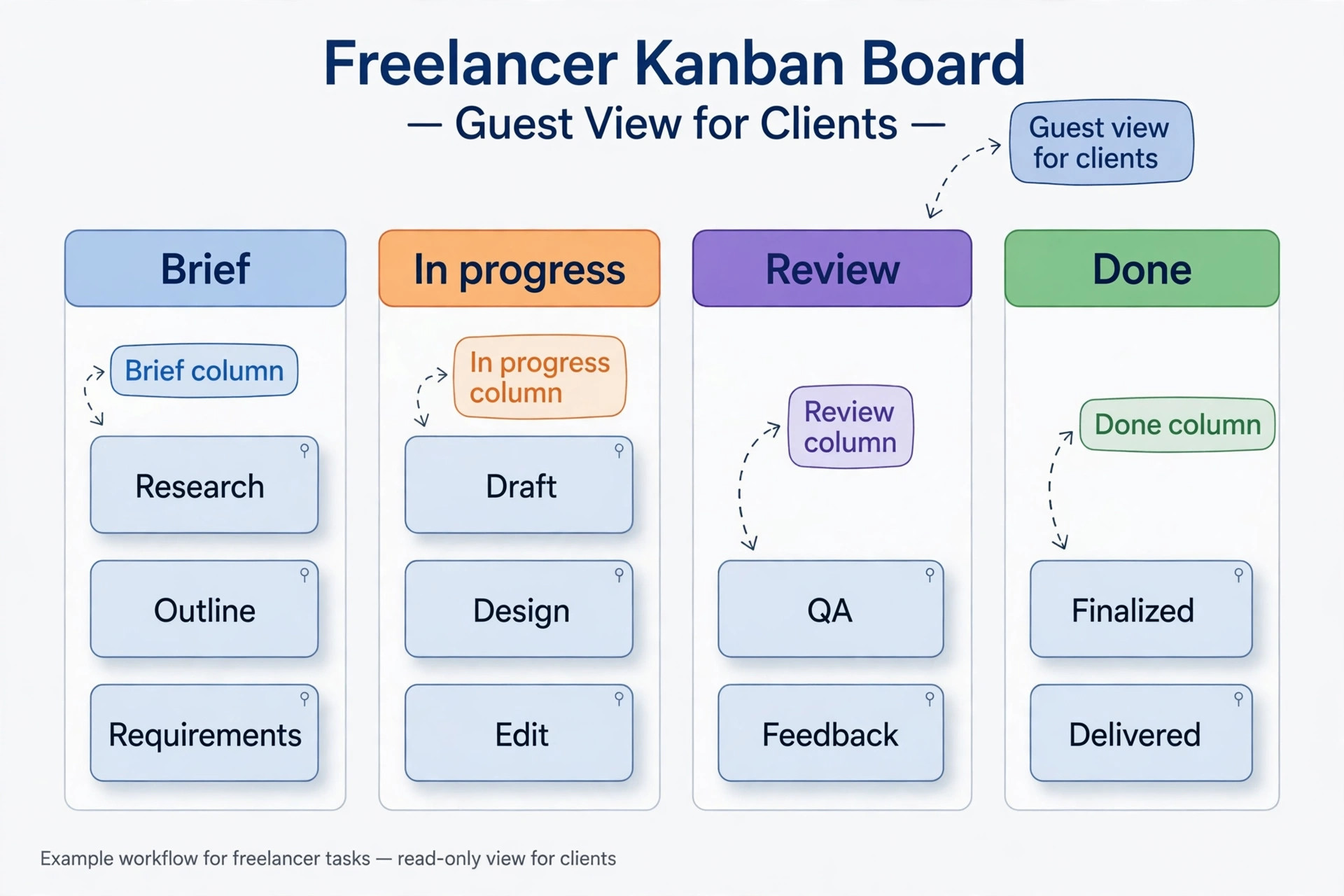
Trello’s freelancer advantage is how little explanation a client needs. A board with columns for brief, in progress, review, and done is understood in seconds by anyone who has used sticky notes. You can invite a client as a guest to one board, let them comment and move cards through a review column, and keep your other boards private. Butler automation handles routine moves without any code. The limits are real. Trello has no true dependency handling, so a sequence where task B cannot start until task A finishes is tracked in your head.
Reporting is thin, and guests on two or more boards in a paid workspace count as billable seats, so inviting the same client to several boards can quietly raise your bill. Trello suits visual freelancers and content creators whose work moves through clear stages and who want clients to see progress without a weekly status call.
4. Notion, the Workspace That Holds Notes and Projects Together
Notion Plus costs 10 dollars per member per month on annual billing, or 12 dollars month to month. Business costs 20 dollars on annual billing, or 24 dollars month to month, and is the lowest tier with full Notion AI included. The free plan gives a single user unlimited pages and blocks, with a 5 MB file upload limit, 10 guests, and 7 days of page history.
Notion’s freelancer case is different from every other tool here. It is not just a task tracker. It is a place where a client brief, a content database, a meeting note, and a project board live in the same workspace and link to each other. A writer can keep a pitch tracker, a draft library, and an invoice log as linked databases, and a consultant can keep a client wiki that grows with every engagement. The trade offs are speed and specialisation. Notion has no native time tracking on any tier, so hourly billers need a separate time tool. Task management is good but slower than Todoist for pure capture.
Notion suits freelancers who sell knowledge work and keep extensive notes, especially writers, researchers, coaches, and consultants. If you only need tasks, it is more tool than you need.
5. Asana, the Clearest Interface for Structured Projects
Asana Starter costs 10.99 dollars per user per month on annual billing, or 13.49 dollars month to month. Advanced costs 24.99 dollars on annual billing, or 30.49 dollars month to month. The free Personal plan covers up to 2 users with unlimited tasks and projects, but that 2 user cap means it works for a solo freelancer plus one collaborator, not for a freelancer with several clients inside the tool. Starter adds timeline and Gantt views, dashboards, forms, custom fields, and unlimited automations.
Asana’s strength is clarity. One assignee per task makes ownership unambiguous, which matters when a freelancer works with subcontractors or a virtual assistant. Forms turn client intake into structured tasks instead of vague emails. Timeline view shows a project plan clients understand, and dashboards give a weekly status snapshot without manual reporting. The freelancer drawbacks are price and the time tracking gate. Native time tracking sits on Advanced at 24.99 dollars a month, which is steep for a solo worker who mainly needs hours logged. Asana suits freelancers who run structured, deadline driven projects with subcontractors and value a clean interface clients adopt without training. A guide to Asana alternatives covers the wider field if Asana’s price puts you off.
6. Wrike, the Formal Option for Client Work That Needs Proof
Wrike Team costs 10 dollars per user per month on annual billing for 2 to 15 users. Business costs 25 dollars per user per month on annual billing for 5 to 200 users. The free plan covers basic task management with a limit on active tasks. Team adds shareable dashboards, interactive Gantt charts, custom fields, and basic workflow customisation. Business adds resource management, approval workflows with an audit trail, time tracking, portfolio management, and unlimited automations.
Wrike’s freelancer appeal is formality. Approval workflows with an audit trail matter when a client disputes a change or a delivery date, because the record shows who approved what and when. Proofing tools suit creative freelancers whose clients review drafts in stages. The drawbacks are seat minimums. Team requires at least 2 users, and Business requires at least 5, which puts its time tracking out of reach for a one person business at list price. Wrike suits freelancers who work inside larger client organisations, run approval heavy creative work, or plan to grow into a small agency.
7. Monday.com, Powerful but Priced for Teams
Monday.com Basic costs 9 dollars per seat per month on annual billing, Standard costs 12 dollars, and Pro costs 19 dollars, but every paid plan requires a minimum of 3 seats. That makes the real solo cost 27 dollars a month on Basic, 36 dollars a month on Standard, and 57 dollars a month on Pro, all on annual billing. Standard adds timeline and Gantt views, calendar views, integrations, and 250 automation actions a month. Pro adds time tracking, formula columns, private boards, and 25,000 automation actions a month.
What you get is a pleasant, visual platform. Boards are colourful and readable, and dashboards pull several boards into one client facing view. The template library covers common freelance workflows like content calendars and client onboarding. The problem is arithmetic, not quality. Paying 432 dollars a year for Standard when ClickUp Unlimited does a similar job for 84 dollars a year is hard to justify for a solo worker, unless Monday.com’s specific boards and dashboards are central to how you sell your work. Monday.com suits a freelancer already growing into a small team who will use all 3 seats soon. For a truly solo worker, it is the hardest tool here to justify on price alone.
8. Basecamp, Calm Communication Over Task Depth
Basecamp Plus costs 15 dollars per user per month, and clients and contractors are always free to add, so only employees count toward the bill. Pro Unlimited costs a flat 299 dollars per month on annual billing, or 349 dollars month to month, for unlimited users and unlimited projects with 5 TB of storage. All plans include the same core tools, which are message boards, to dos, card tables, a schedule, docs and files, reports, and check ins. Time tracking is not included on Free or Plus, and arrives as a paid add on or on Pro Unlimited.
Basecamp’s freelancer case is calm. Basecamp gives each project one page with a message board, a to do list, a schedule, and a file area. Clients understand it without training, because it reads like a well organised email thread with tasks attached. Check ins replace status meetings with a short automatic question answered in writing. The limits are equally clear. There are no Gantt charts, no dependencies, no custom fields of the kind ClickUp offers, and no native time tracking on Plus. Basecamp suits a solo worker who values client communication and simplicity over task depth, especially consultants and coaches whose projects are conversations with deliverables attached.
How to Pick the Best Project Management Tool for Freelancers
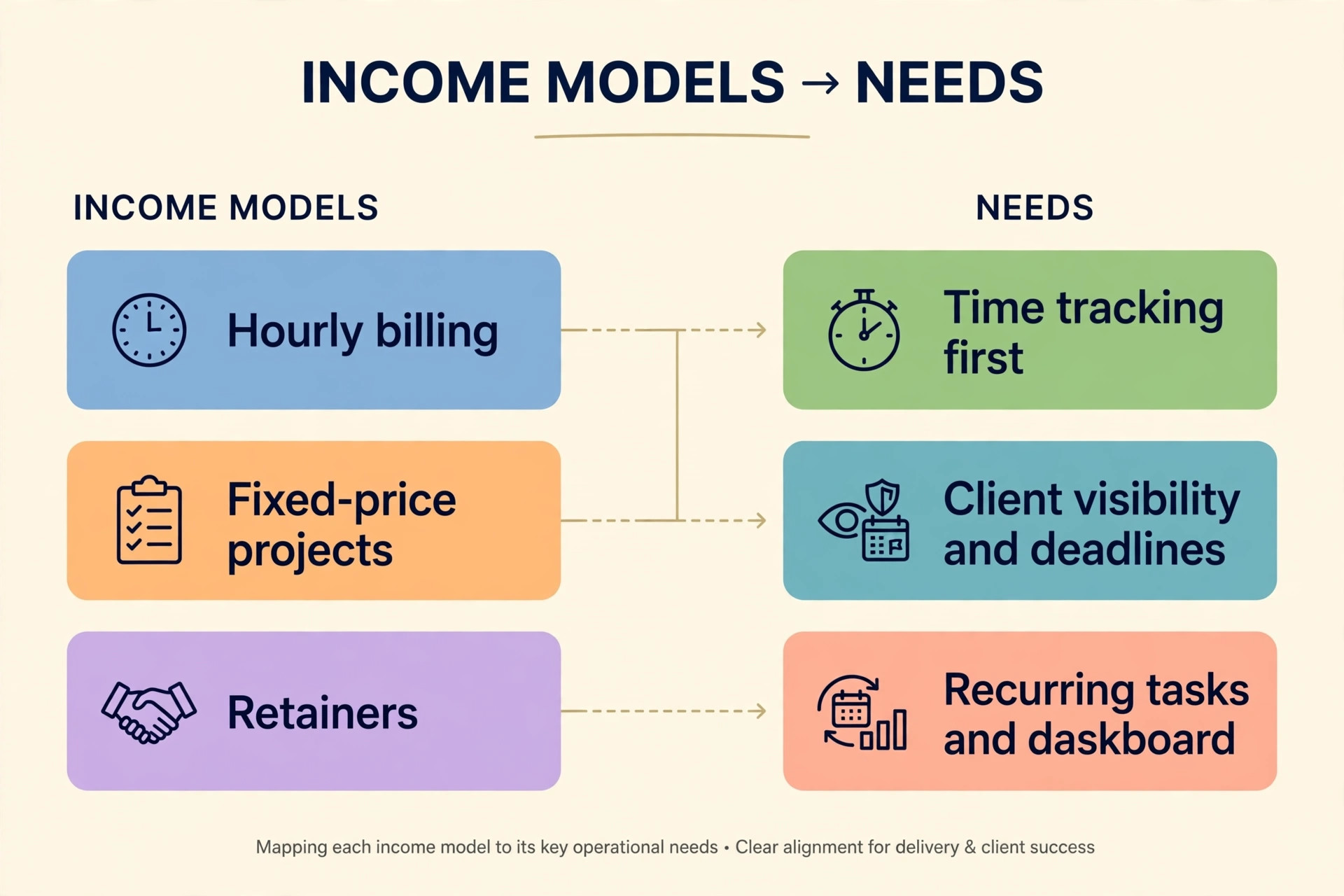
Start from your income model, not from a feature list, because the way you get paid decides which features earn their keep. Hourly billers need time tracking first, and should shortlist ClickUp Unlimited for native tracking at 7 dollars a month, or accept that Asana and Notion will need a separate time tool. Fixed price project workers need client visibility and deadlines first, and should shortlist Trello Premium for visual boards or Asana Starter for structured timelines. Retainer workers need recurring tasks, templates, and a dashboard showing every retainer at a glance, which points to ClickUp or Monday.com if the budget stretches.
Next, count your clients, not your tasks. A freelancer with 3 long term clients needs deep per client workspaces and guest access. A freelancer with 30 short projects a year needs fast capture, templates, and bulk organisation more than guest seats.
Then test the exit before you commit. Export your trial data on day 7 of a 14 day trial. If tasks export cleanly with dates, assignees, and comments, the tool respects your business. If export is limited to a paid tier, factor that lock in into the price.
Finally, price the second year, not the first. Introductory offers and free trials all end. Monday.com’s 3 seat minimum does not end, and neither does Asana’s jump from Starter to Advanced for time tracking. Todoist Pro at 60 dollars a year and ClickUp Unlimited at 84 dollars a year stay cheap in year two, and that stability beats a flashy first year deal.
- Write down how you get paid, hourly, fixed price, or retainer, and circle the one feature that model demands
- Count your active clients and your average projects per month, then check guest and project limits against those numbers
- Trial two tools on one real project each, not on sample data, for at least a week
- Export your trial data before you pay, and read what the export actually contains
- Check the renewal price, the seat minimum, and which tier holds time tracking before you enter card details
- Pick the cheapest tool that passes all five freelancer jobs from the earlier section, and revisit the choice when your income model changes
The Feature Verdict
The table below is the verdict on the best project management tool for freelancers by the jobs that matter, not by the full enterprise feature list, so a tool can win here without being the biggest product in the market.
| Tool | Solo price per month, annual billing | Standout freelancer strength | Biggest watch out |
|---|---|---|---|
| Todoist Pro | 5 dollars | Fastest capture and daily task flow | No board or time tracking |
| ClickUp Unlimited | 7 dollars | Time tracking plus many views at a low price | Setup takes real time |
| Trello Premium | 10 dollars | Client friendly boards with guest access | No dependencies, thin reporting |
| Notion Plus | 10 dollars | Notes, wikis, and projects in one workspace | No native time tracking |
| Wrike Team | 10 dollars | Gantt, approvals, and formal project plans | 2 seat minimum, time tracking on Business |
| Asana Starter | 10.99 dollars | Clearest interface and free guests | Time tracking gated to Advanced |
| Basecamp Plus | 15 dollars | Calm client communication, free clients | No Gantt, no time tracking on Plus |
| Monday.com Standard | 36 dollars for 3 seats | Visual boards and dashboards | 3 seat minimum makes solo use costly |
Two patterns stand out. Tools under 11 dollars a month cover almost every solo need, and time tracking is the most commonly gated feature, so hourly billers should treat the time tracking tier as the real price.
A One Week Test Before You Pay
A week of real use beats a month of reading reviews, because the friction that makes you quit a tool shows up in daily use, not in a feature table. Run this test on your top two choices before you pay for either.
- Move one live client project into the tool, with real deadlines, real files, and real feedback, not a sample project
- Capture five tasks from email, chat, and a phone call, and time how long each capture takes
- Invite the client to view progress, and note whether they needed any explanation from you
- Log time against at least three tasks, or export the task list to your time tool, and check the totals
- Build the weekly view you will actually open every Monday morning, and see whether it shows overdue work without digging
- Export everything on day 7, and judge whether you could leave with your data intact
- Add up the true monthly cost, including seat minimums, guest seats, and any time tool you still need
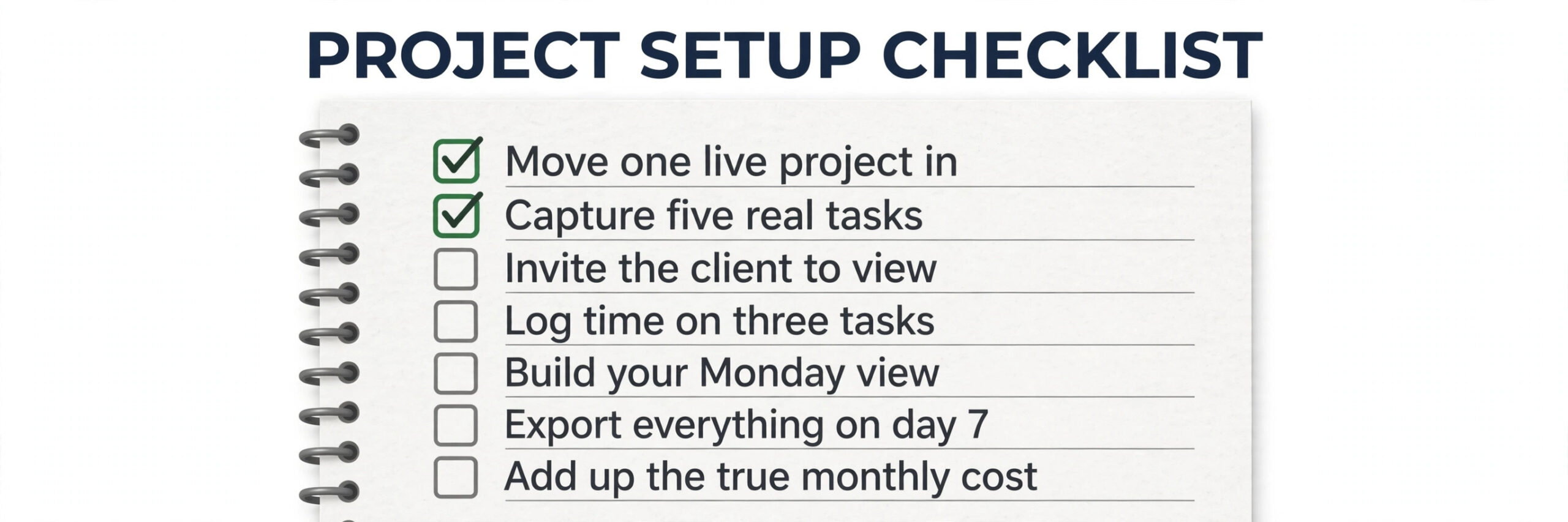
If a tool passes all seven steps, it has earned your money.
For related reading, the guide to best project management software widens the comparison beyond solo plans to team sized options, best AI tools for freelance writers covers the writing side of a solo practice, and how to get clients as a freelancer with AI helps with the pipeline that fills whatever tool you choose. If money tracking is the gap your project tool leaves, best accounting software for small business pairs naturally with the time tracking discussion above.
Frequently Asked Questions
What is the cheapest good project management tool for a solo freelancer?
Todoist Pro at 5 dollars a month on annual billing is the cheapest paid plan in this guide that a solo worker can run a real business on, and ClickUp Unlimited at 7 dollars a month is the cheapest plan that adds native time tracking and many views. For a tight budget, the best project management tool for freelancers is usually the cheapest one that covers your must have feature, because the money saved goes to marketing or training. Free plans from Trello, ClickUp, and Notion all work for modest needs until caps push you to pay.
Do I need a paid plan, or is a free plan enough for freelance work?
A free plan is enough when you have few active projects, few clients inside the tool, and no need for timeline views or long history. Trello free covers up to 10 boards, ClickUp free covers unlimited tasks with caps, and Notion free covers unlimited pages for one person. You need a paid plan when you hit a cap that matters, like Trello’s board limit, Todoist’s 5 project limit, or Asana’s 2 user cap, or when a timeline or Gantt view you rely on sits behind a paywall.
Which tool is best for freelancers who bill by the hour?
ClickUp Unlimited is the strongest answer at 7 dollars a month on annual billing, because native time tracking is included and hours roll up per task and per client. Wrike Business has stronger approval features, but its 5 seat minimum puts it out of reach for a solo worker at list price. Asana and Notion both need a separate time tool, since Asana gates native time tracking to Advanced at 24.99 dollars a month and Notion has no native time tracking on any tier.
Can clients see progress without paying for a seat?
Yes, on most tools here, but the rules differ and they change the real cost. Asana includes unlimited free guests on paid plans, Basecamp never charges for clients and contractors, and Notion guests are free on pages shared with them. Trello guests on a single board are free, but guests on two or more boards in a paid workspace count as billable seats. Monday.com counts guests toward seat limits on Standard in groups.
How much should a freelancer budget per month for project software?
Budget 5 to 11 dollars a month on annual billing for a solo plan that covers real work, which is 60 to 132 dollars a year. That range covers Todoist Pro, ClickUp Unlimited, Trello Premium, Notion Plus, Wrike Team, and Asana Starter. Budget more only for a specific need, like Monday.com’s dashboards once you have a small team, or Basecamp Pro Unlimited with many collaborators.
Is it worth paying for Monday.com as a solo freelancer?
Usually not, unless you will use all 3 seats soon or your clients specifically value its dashboards. Monday.com Standard is a strong platform, but its 3 seat minimum means a solo worker pays 36 dollars a month on annual billing for one person’s use, against 7 dollars for ClickUp Unlimited or 10 dollars for Trello Premium and Notion Plus. The gap is about 300 dollars a year for features a solo worker rarely needs.
Best Pick by Job
This best pick by job table turns the full comparison of the best project management tool for freelancers into one decision per job.
| Your job | Pick | Why it wins for that job |
|---|---|---|
| Solo task management on a tight budget | Todoist Pro | Fastest capture, 5 dollars a month, no setup burden |
| Hourly billing with time tracking | ClickUp Unlimited | Native time tracking at 7 dollars a month |
| Visual client facing project boards | Trello Premium | Clients understand boards instantly, guest access is simple |
| Knowledge work with notes and projects together | Notion Plus | Wikis, databases, and boards in one workspace at 10 dollars a month |
| Structured projects with helpers or subcontractors | Asana Starter | One assignee per task, free guests, clear timelines |
| Approval heavy creative work | Wrike Team | Gantt charts and approval workflows, if you can meet the 2 seat minimum |
| Calm client communication over task depth | Basecamp Plus | Message boards and check ins, clients always free |
| Growing into a small team soon | Monday.com Standard | Dashboards shine once all 3 seats are real |
Run the Business From One Board
The best project management tool for freelancers is not the most powerful one, and it is certainly not the most expensive one. It is the tool you will open every morning, that captures a task in under a minute, that shows the week without digging, and that lets a client see progress without a status email. For most solo workers, that tool is Todoist Pro for personal task flow, ClickUp Unlimited if time tracking matters, or Trello Premium if clients need to see the work.
Whatever you choose, run the one week test before you pay, and review the choice in six months. Freelance businesses change shape quickly, and the tool that fits a solo writer with three clients may not fit the same person a year later with a small team and ten retainers. When that change comes, the day 7 export test decides whether switching is a weekend job or a data rescue mission. Pick the tool that pays for itself in hours saved, not in features listed.