
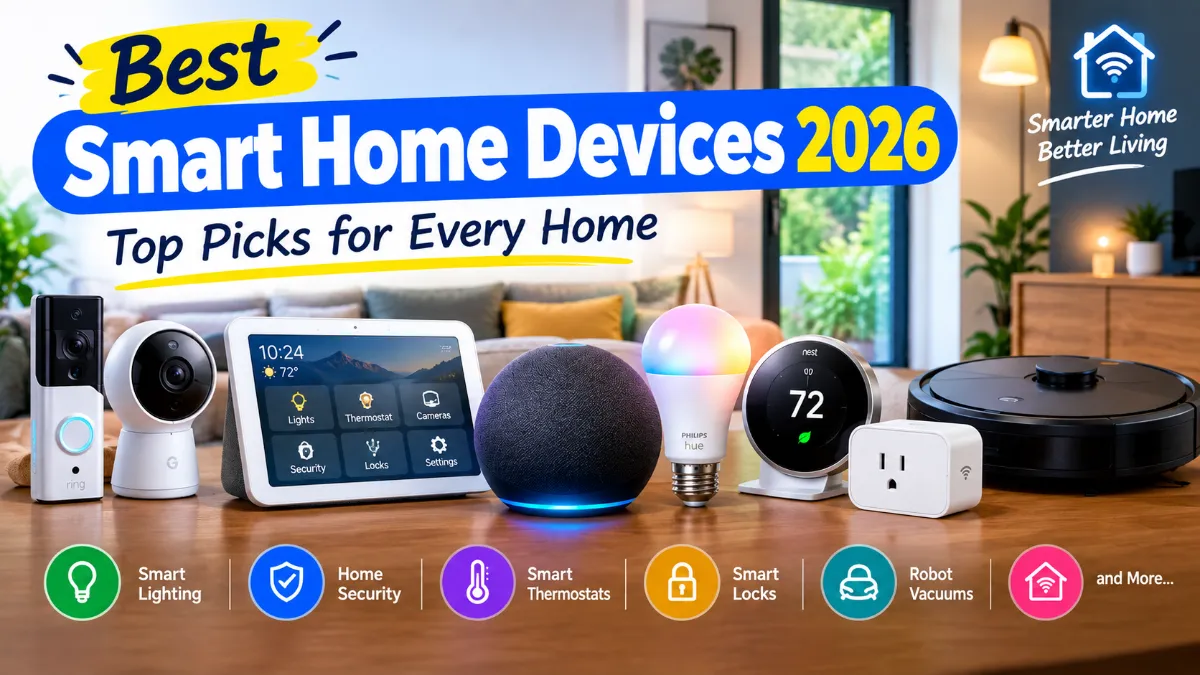
The best smart home devices 2026 has to offer don’t ask you to turn your house into a futuristic showroom. A handful of well-chosen products — a voice hub, some smart lights, a thermostat that learns your routine, a lock that recognises you — can make daily life noticeably easier, cut energy waste, and improve security without you ever touching a toolbox.
The hard part is knowing what’s worth buying. Shelves are crowded with smart lights, plugs, cameras, doorbells, locks, thermostats, robot vacuums, displays, and sensors — and they don’t all play nicely together. Some work best with Alexa, others with Google Home or Apple Home, and Matter is finally making cross-brand compatibility real.
In this guide we break down the best smart home devices by category, with specific product picks, typical prices, ecosystem fit, and the checks to run before spending your money. Whether you’re building your first smart home or upgrading an existing setup, these are the products worth considering in 2026.
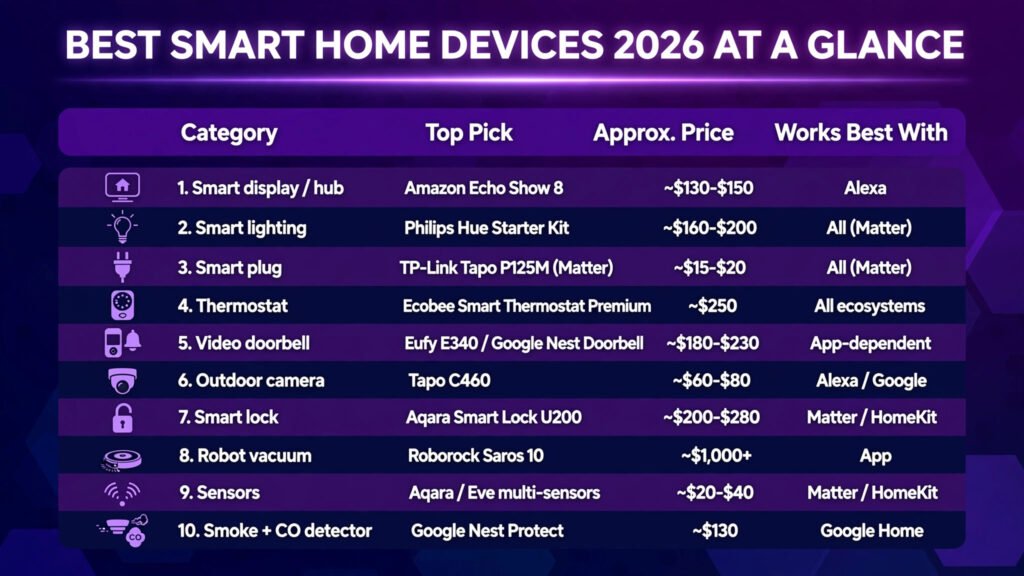
Quick Answer: Best Smart Home Devices 2026 at a Glance
| Category | Top Pick | Approx. Price | Works Best With |
|---|---|---|---|
| Smart display / hub | Amazon Echo Show 8 | ~$130–$150 | Alexa |
| Smart lighting | Philips Hue Starter Kit | ~$160–$200 | All (Matter) |
| Smart plug | TP-Link Tapo P125M (Matter) | ~$15–$20 | All (Matter) |
| Thermostat | Ecobee Smart Thermostat Premium | ~$250 | All ecosystems |
| Video doorbell | Eufy E340 / Google Nest Doorbell | ~$180–$230 | App-dependent |
| Outdoor camera | Tapo C460 | ~$60–$80 | Alexa / Google |
| Smart lock | Aqara Smart Lock U200 | ~$200–$280 | Matter / HomeKit |
| Robot vacuum | Roborock Saros 10 | ~$1,000+ | App |
| Sensors | Aqara / Eve multi-sensors | ~$20–$40 | Matter / HomeKit |
| Smoke + CO detector | Google Nest Protect | ~$130 | Google Home |
1. Amazon Echo Show 8 — Best Smart Speaker and Hub
Every smart home needs a command centre, and for most households the best one is a smart display rather than a voice-only speaker. The Echo Show 8 gives you a touchscreen dashboard for routines, camera feeds, timers, and music, plus Alexa’s widest-in-class device compatibility. It doubles as a Matter controller, so it can run your newer devices locally.
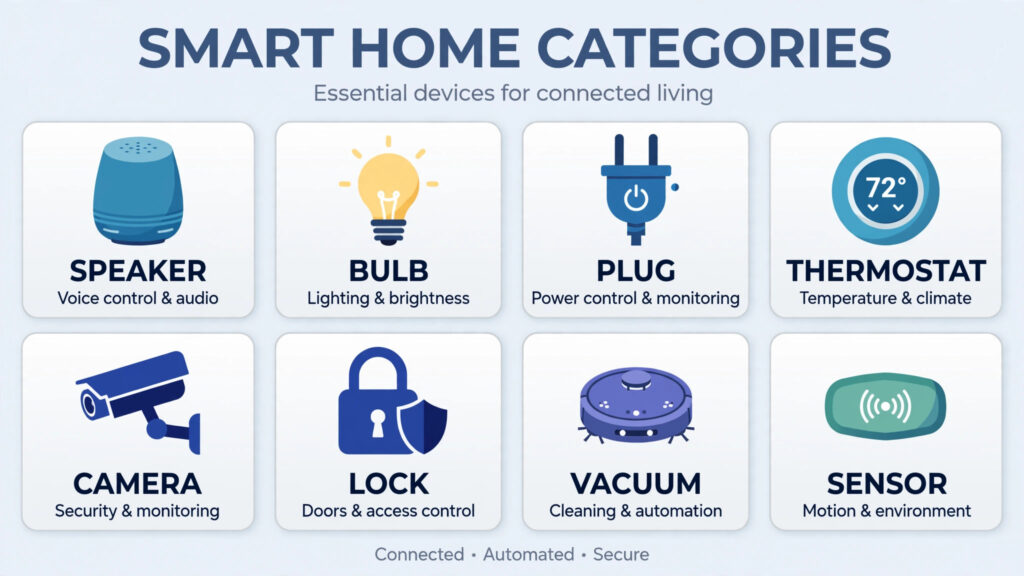
Why an Echo Show makes sense: voice control the whole family will actually use; visual routines dashboard; acts as a hub for Matter and Zigbee devices; video calling and camera drop-in.
Key features: 8-inch HD touchscreen, Alexa voice assistant, Matter/Zigbee hub built in, camera with auto-framing, stereo speakers.
Pricing summary: typically $130–$150, with frequent discounts to ~$90 on sale events.
Pros: broadest device compatibility; display makes routines visible; affordable.
Cons: Alexa’s smart-home brain is best for Alexa-native devices; Amazon’s privacy settings need a once-over (see the privacy section below).
Best for: most households starting or expanding a smart home. Alternatives: Google Nest Hub (2nd gen, ~$100) for Google-centred homes, Apple HomePod mini (~$99) for Apple households.
2. Philips Hue Smart Lighting — Best Smart Lights
Philips Hue remains the gold standard for smart lighting: excellent colour accuracy, rock-solid reliability, and a huge range of bulbs, strips, and fixtures that all speak to each other through the Hue Bridge. It’s pricier than budget bulbs — but lights you never have to troubleshoot are worth the premium.
Why Philips Hue stands out: colour quality and consistency across rooms; the Bridge keeps lights off your Wi-Fi (less congestion, faster response, works during internet outages); deep integration with Alexa, Google, Apple Home, and Matter.
Is Philips Hue worth the extra cost? If you want reliable colour scenes, whole-home expansion, and lights that respond instantly, yes. If you just want one white bulb that turns on by voice, a budget Matter bulb from Nanoleaf Essentials or TP-Link Tapo (~$10–$15) does the job fine.
Key features: 16 million colours, Hue Bridge for Zigbee mesh, scenes and schedules, music sync, outdoor range.
Pricing summary: starter kits (Bridge + 2–4 bulbs) ~$160–$200; individual colour bulbs ~$50; white-only bulbs ~$15–$20.
Pros: most reliable ecosystem; superb colour; Bridge avoids Wi-Fi congestion.
Cons: expensive per bulb; Bridge required for full features.
Best for: anyone building serious smart lighting. Budget pick: Nanoleaf Essentials Matter bulbs (~$15) — no hub needed.
Bulbs vs switches: smart bulbs are easier to install; smart switches control existing fixtures and keep working when someone flips the wall switch. For rooms with many downlights, switches (like the Aqara or TP-Link Kasa ranges, ~$20–$40) are cheaper than replacing every bulb.
3. Matter-Compatible Smart Plugs — Best Cheap Upgrade
A smart plug turns any “dumb” device into a smart one: lamps, fans, coffee makers, Christmas lights. At $15–$20 each, they’re the cheapest way to automate a home — and the best first purchase if you’re not sure where to start.
What can you use a smart plug for? Scheduling lamps to fake occupancy on holiday, turning the coffee maker on from bed, cutting standby power to entertainment centres, running a fan on a temperature routine, and energy monitoring (on models like the Emporia plug) to see what appliances actually cost you.
Why Matter matters: a Matter-certified plug like the TP-Link Tapo P125M works with Alexa, Google Home, Apple Home, and SmartThings out of one box. Buy Matter and you’re not locked into an ecosystem — a big deal when devices last a decade.
Key features (Tapo P125M): Matter support, compact design (doesn’t block adjacent sockets), app + voice control, schedules and timers.
Pricing summary: ~$15–$20 per plug; multi-packs bring it under $12 each.
Pros: cheapest meaningful smart-home upgrade; Matter = future-proof; dead simple.
Cons: bulky plugs can block neighbouring sockets (check dimensions); no dimming.
Best for: beginners and renters — no wiring, no hub, instant results. Also see the energy-monitoring Emporia plug (~$15) if you want per-device power data.
A smart thermostat is the rare smart device that pays for itself: by learning your schedule, sensing occupancy room by room, and dialling back heating and cooling when nobody’s home, it typically trims 10–20% off HVAC energy use. The Ecobee Smart Thermostat Premium is the most complete option in 2026 — remote occupancy sensor, air-quality monitoring, and broad support across Alexa, Google, Apple Home, and SmartThings.
Why a smart thermostat is different: it’s the only device here that saves money every single day. The upfront cost is real (~$250), but the payback math works for most homes within two heating seasons.
Check your HVAC system first: most homes are compatible, but check your wiring (a C-wire is usually needed) and confirm with Ecobee’s compatibility checker before buying. Renters: get landlord permission — or use smart radiator valves / plug-in heaters with smart plugs instead.
Key features: SmartSensor occupancy detection, air-quality monitoring, voice control built in, eco+ scheduling, energy reports.
Pricing summary: ~$250; frequent sales to ~$200. Alternative: Google Nest Learning Thermostat 4th gen (~$280) if you’re deep in the Google ecosystem.
Pros: strong energy savings; room sensors fix hot/cold spots; works with every major platform.
Cons: premium price; some advanced features need a subscription; installation can require a C-wire.
Best for: homeowners who want lower bills and even temperatures. Skip if you rent without HVAC access.
5. Video Doorbells — Best for Front-Door Security
A video doorbell answers the three front-door questions — who’s there, what did the courier do, did anyone approach — from anywhere. In 2026 the choice splits on subscriptions: some brands need a monthly plan for saved video and smart alerts; others store locally with no fees.
Battery vs wired doorbells: battery models (Ring Battery Doorbell 2K, Eufy E340) install in minutes with no wiring; wired models never need charging and usually support 24/7 recording. If you have existing doorbell wiring, use it.
Top picks: the Eufy E340 (~$180) stands out for local storage with no mandatory subscription — a big long-term saving. The Google Nest Doorbell (~$180) is the pick for Google Home households with excellent person/package detection. Ring’s Battery Doorbell 2K remains popular but factor in the Ring Protect plan (~$5/month) for video history.
Pros: see and speak to visitors remotely; package detection; deterrent effect.
Cons: subscription costs add up on some brands; motion alerts need tuning to avoid notification spam.
Best for: anyone who wants to know what’s happening at the front door. Subscription-free pick: Eufy E340.
6. Smart Security Cameras — Best for Home Monitoring
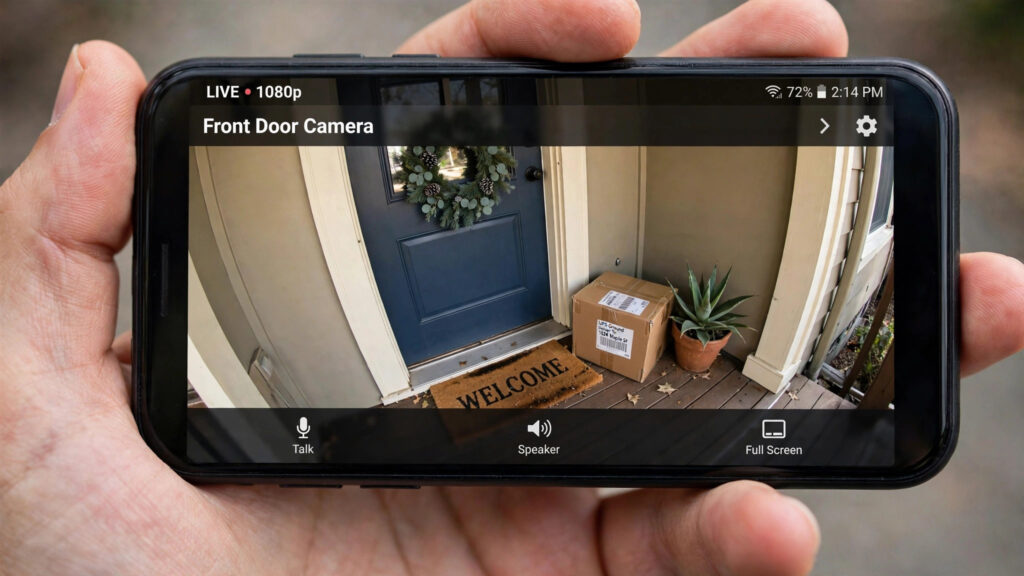
Indoor and outdoor cameras cover what the doorbell can’t: the garden, the garage, the hallway, the pets. The critical decision in 2026 is cloud storage vs local storage. Cloud cameras (Ring, Nest, Arlo) offer slick apps and off-site backup but charge $5–$15/month per camera for video history. Local-storage cameras (Eufy, Tapo, Reolink) record to a hub or microSD with no fees — lose some polish, keep your money.
Top picks: the Tapo C460 (~$70) is the standout value outdoor camera with strong app reviews; Eufy’s Floodlight Camera E340 (~$220) combines a floodlight with dual cameras; for indoor/pet monitoring, the Petcube Cam 360 (~$60) adds treat-tossing and bark alerts.
Pros: real-time alerts, two-way talk, night vision, deterrent value.
Cons: subscriptions are the hidden cost — always check before buying; placement and Wi-Fi strength matter more than specs.
Best for: security-conscious households and pet owners. Budget-conscious buyers should strongly prefer local-storage brands.
7. Smart Locks — Best for Keyless Entry
Smart locks end the lost-key problem: phone, fingerprint, keypad code, or auto-unlock as you approach. They’re also brilliant for guests, cleaners, and Airbnb — issue a time-limited code instead of cutting keys.
What to look for in a smart lock: retrofit vs replace (the Aqara U200 and August-style locks keep your existing outside hardware — ideal for renters); Matter/HomeKit support for ecosystem fit; a physical key backup (never buy a lock with no manual override); and battery life measured in months, not weeks.
Top picks: the Aqara Smart Lock U200 (~$230) brings Matter support and HomeKit compatibility with retrofit installation. The Level Lock Pro (~$330) hides all the tech inside the door for an invisible look. Budget option: keep an eye on TP-Link and Yale’s Matter ranges (~$150–$200).
Pros: no more keys; guest codes; auto-lock peace of mind; activity logs.
Cons: installation varies (check your door type); batteries need watching; premium pricing.
Best for: households with frequent guests, rentals, and anyone who’s ever been locked out. Renters: choose retrofit models that preserve the original lock.
8. Robot Vacuums — Best for Automated Cleaning
Robot vacuums crossed from gadget to genuinely useful years ago; in 2026 the question is how much automation you want. The Roborock Saros 10 (~$1,000+) represents the top end — lidar navigation, mopping, self-emptying dock, obstacle avoidance that actually dodges cables and socks. Mid-range models from Roborock, Eufy, and Dreame ($300–$600) cover the core job — daily floor cleaning — very well.
What matters more than suction numbers? Navigation (lidar beats random bounce), obstacle avoidance (the difference between a helper and a rescue mission), the self-emptying dock (empties itself for weeks), and mopping quality if you have hard floors. Suction specs are marketing; navigation is engineering.
Pros: floors stay clean with zero effort; scheduling means you never think about it; great for pet hair.
Cons: premium models are expensive; they still can’t do stairs; small objects on the floor remain the enemy.
Best for: pet owners, busy households, and anyone with mostly hard floors or low-pile carpet. Budget pick: Eufy’s mid-range robovacs (~$300) for the core cleaning job.
9. Smart Sensors — The Invisible Backbone
Sensors are the least glamorous and most transformative smart home devices. They let your home react: lights on when you enter, heating off when windows open, alerts when water leaks. A few $20–$40 sensors create automations that feel like magic.
- Motion sensors (~$25): turn lights on/off by presence; trigger camera recording. Aqara and Eve make reliable Matter options.
- Door and window sensors (~$20): know when anything opens — great for security routines and “did I leave the window open?” checks.
- Temperature sensors (~$20): feed real room data to your thermostat for smarter heating.
- Water leak sensors (~$25): the highest-ROI sensor in existence — one detected leak under a washing machine pays for every sensor you’ll ever buy.
Pros: cheap; enable the best automations; tiny and discreet.
Cons: battery-powered (expect 1–2 years per battery); need a hub or Matter controller for some models.
Best for: anyone past the beginner stage. Start with two or three: one motion sensor for the hallway lights, one leak sensor under the washing machine.
10. Smart Smoke and Carbon Monoxide Detectors — Best for Safety
The Google Nest Protect (~$130) remains the benchmark: it tells you what and where (“Smoke in the kitchen”) instead of just screaming, sends phone alerts when you’re away, and self-tests monthly. When every second counts, a detector that communicates clearly is worth the premium over a $20 alarm.
Pros: voice alerts with location; phone notifications; pathlight feature; 10-year lifespan.
Cons: premium price; Google ecosystem fit is best.
Best for: every home. Safety devices are the one category where “good enough” isn’t good enough.
Detailed Comparison Table
| Device | Top Pick | Approx. Price | Subscription Needed? | Ecosystem |
|---|---|---|---|---|
| Smart display | Echo Show 8 | ~$130 | No | Alexa, Matter |
| Smart lights | Philips Hue Starter Kit | ~$160 | No | All, Matter |
| Smart plug | Tapo P125M | ~$15 | No | All, Matter |
| Thermostat | Ecobee Premium | ~$250 | Some features | All |
| Video doorbell | Eufy E340 | ~$180 | No (local) | App, Alexa, Google |
| Outdoor camera | Tapo C460 | ~$70 | No (local) | Alexa, Google |
| Smart lock | Aqara U200 | ~$230 | No | Matter, HomeKit |
| Robot vacuum | Roborock Saros 10 | ~$1,000+ | No | App |
| Sensors | Aqara/Eve | ~$20–40 | No | Matter, HomeKit |
| Smoke/CO | Nest Protect | ~$130 | No | Google Home |

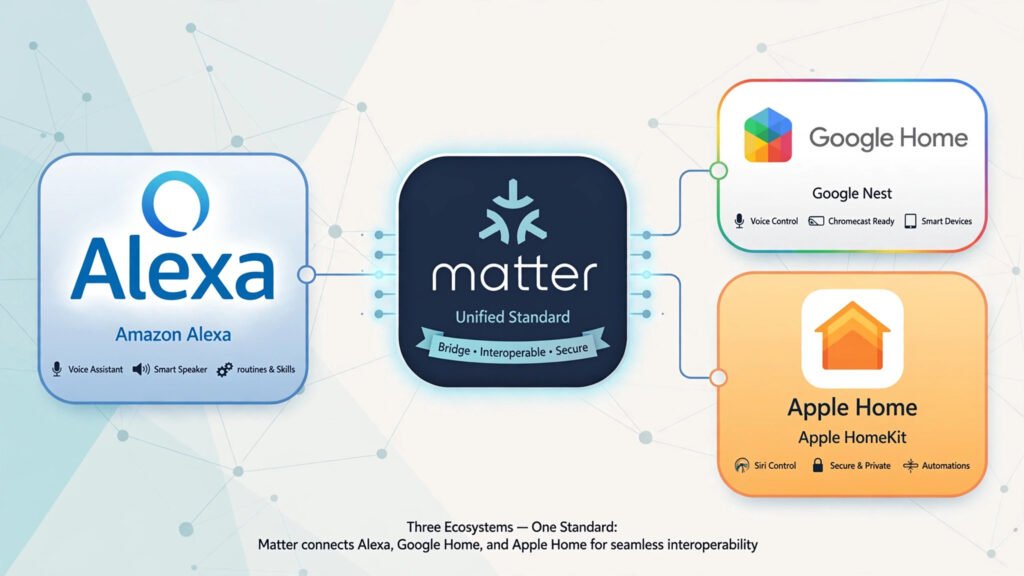
Choosing Your Ecosystem: Alexa vs Google Home vs Apple Home vs Matter
Your ecosystem choice shapes everything, so make it early — ideally before your third device.
Amazon Alexa has the widest device compatibility and the most affordable hardware. Best if you want maximum choice and don’t mind tuning privacy settings.
Google Home excels at natural-language understanding and pairs beautifully with Nest cameras, doorbells, and thermostats. Best if you’re already a Google household.
Apple Home offers the strongest privacy story and the slickest iPhone integration, but fewer device options and higher prices. Best if everyone in the house uses Apple.
Matter (and Thread) is the compatibility layer changing the game: Matter-certified devices work across Alexa, Google, and Apple regardless of brand. In 2026, Matter 1.6 has improved setup and multi-ecosystem management further. Buy Matter-certified devices wherever possible — it’s the closest thing to future-proofing. But don’t assume Matter means everything works everywhere: advanced features (like a camera’s smart alerts) often still need the manufacturer’s own app.
Which one is best? For most mixed households: Alexa or Google as the voice platform, with Matter devices underneath so you’re never locked in. For Apple-only homes: Apple Home with Matter devices.
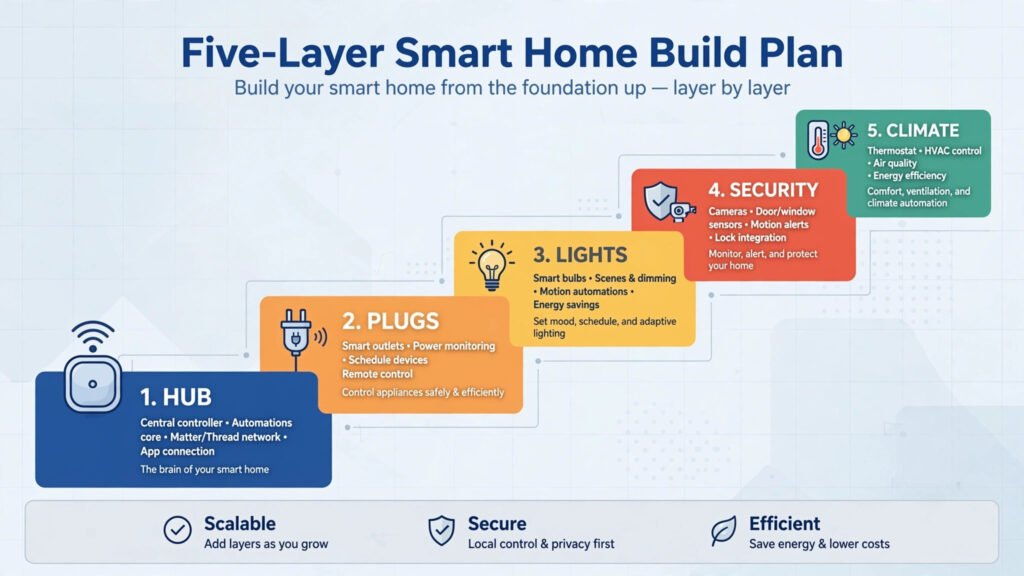
How to Get Started: Build Your Smart Home in Layers
Don’t buy ten devices at once. Build in this order — each layer makes the next one more useful:
- First: a smart speaker or hub. One Echo Show 8 or Nest Hub gives you voice control and a Matter controller. (~$100–$150)
- Second: smart plugs. Two or three Matter plugs automate lamps and appliances instantly, no wiring needed. (~$40)
- Third: smart lights. A starter kit for the living room or bedroom — wake-up lighting and bedtime shut-off change daily life. (~$60–$160)
- Fourth: security. A video doorbell, then cameras where blind spots remain. Prefer local-storage brands to avoid subscription creep. (~$180+)
- Fifth: climate and access. Thermostat, smart lock, sensors — the layer that saves money and adds convenience. (~$250+)
Total for a solid starter setup: roughly $400–$700. Expand room by room, and resist the drawer of forgotten gadgets — a few well-chosen devices beat a pile of disconnected ones.
Privacy and Security: The Settings to Check
Smart home devices listen, watch, and record — so spend 20 minutes on settings once:
- Review voice recordings: Alexa and Google both let you auto-delete voice recordings; turn it on.
- Camera zones and schedules: set activity zones so cameras ignore the pavement; schedule indoor cameras off when you’re home.
- Two-factor authentication: enable it on every smart-home account, especially cameras and locks.
- Local over cloud where possible: local-storage cameras and Matter’s local control keep your data in your home.
- Guest network: put IoT devices on a separate Wi-Fi network from your computers if your router supports it.
Frequently Asked Questions
What is the best smart home device to start with?
A smart speaker or display (Amazon Echo Show 8 or Google Nest Hub) plus two or three Matter smart plugs. That combination costs under $200, needs no wiring, and immediately gives you voice control plus automated lighting and appliances.
Do I need a hub for smart home devices in 2026?
Less than ever. Matter controllers are now built into smart speakers and displays, and many Matter devices connect directly over Wi-Fi or Thread. You only need a dedicated hub (like the Philips Hue Bridge) for specific ecosystems that use Zigbee.
What is Matter and why does it matter?
Matter is an open standard that lets smart home devices from different brands work across Amazon Alexa, Google Home, Apple Home, and SmartThings. Buying Matter-certified devices means you’re not locked into one ecosystem — if you switch voice assistants later, your devices come with you.
Are smart home devices worth the money?
The highest-ROI devices — smart plugs, thermostats, leak sensors — genuinely save money or prevent expensive damage. A smart thermostat typically pays for itself within two heating seasons through 10–20% energy savings. Start with devices that solve a real problem rather than buying gadgets for novelty.
Do smart cameras require a subscription?
It depends on the brand. Ring, Nest, and Arlo charge roughly $5–$15/month for video history and smart alerts. Eufy, Tapo, and Reolink store video locally (hub or microSD) with no mandatory subscription. Always check the subscription terms before buying — it’s the biggest hidden cost in smart home security.
Which is better: Alexa, Google Home, or Apple Home?
Alexa offers the widest device compatibility; Google Home understands natural speech best and pairs well with Nest devices; Apple Home leads on privacy and iPhone integration. For most mixed households, pick Alexa or Google as the voice layer and buy Matter devices underneath for flexibility.
Can renters build a smart home?
Absolutely. Smart plugs, smart bulbs, battery video doorbells, retrofit smart locks (like the Aqara U200), and stick-on sensors all install without wiring or drilling. Everything comes with you when you move.
How do I keep my smart home secure?
Enable two-factor authentication on all accounts, auto-delete voice recordings, use activity zones on cameras, prefer local-storage devices, and put IoT gadgets on a separate Wi-Fi network if your router supports it. Also keep device firmware updated — most updates patch security issues.
Conclusion
The best smart home devices 2026 offers share a pattern: they solve a real problem, work with your chosen ecosystem (ideally through Matter), and don’t hide essential features behind subscriptions. Start with a hub and smart plugs, add lighting, then layer in security and climate — and you’ll have a home that genuinely looks after itself.
Your next step: pick your ecosystem (Alexa or Google for most homes), order a smart display and two Matter plugs this week, and automate one lamp and one routine. Once you feel the difference, expand room by room using the picks above.