
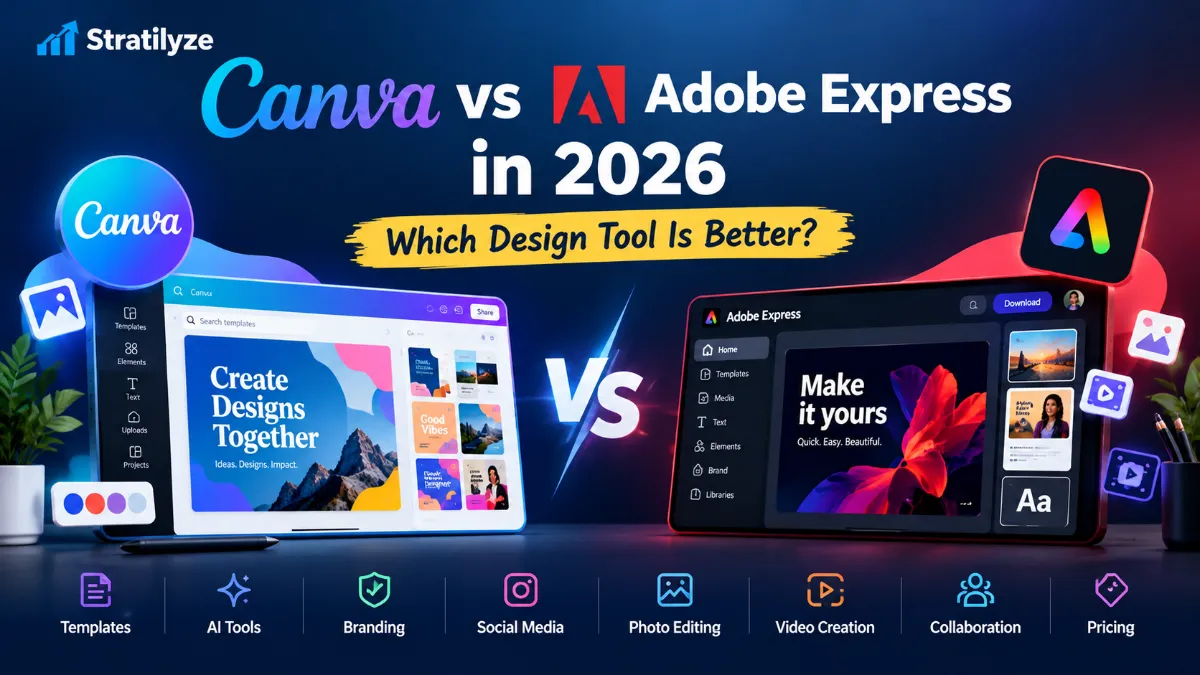
If you need to create social media graphics, presentations, short videos, thumbnails, flyers, or branded marketing content without learning professional design software, the canva vs adobe express debate matters to you. Both platforms promise pro-looking design in minutes — but they are not interchangeable, and picking the wrong one can cost you a surprising amount of time.
In this guide, we put Canva and Adobe Express head to head across 14 categories: ease of use, templates, AI features, social media, photo editing, video, brand kits, collaboration, fonts and stock assets, presentations, pricing, and more. Every round ends with a clear winner so you know exactly which tool deserves your money in 2026.
Quick answer: Canva is the better all-round choice for most people — beginners, marketers, small businesses, creators, educators, and teams — thanks to its enormous template library, friendlier collaboration, and genuinely useful all-in-one workspace. Adobe Express is the smarter pick if you already live in the Adobe ecosystem, need Adobe Fonts and deep Adobe Stock access, want commercially safer Firefly-generated imagery, or want the cheapest individual paid plan.
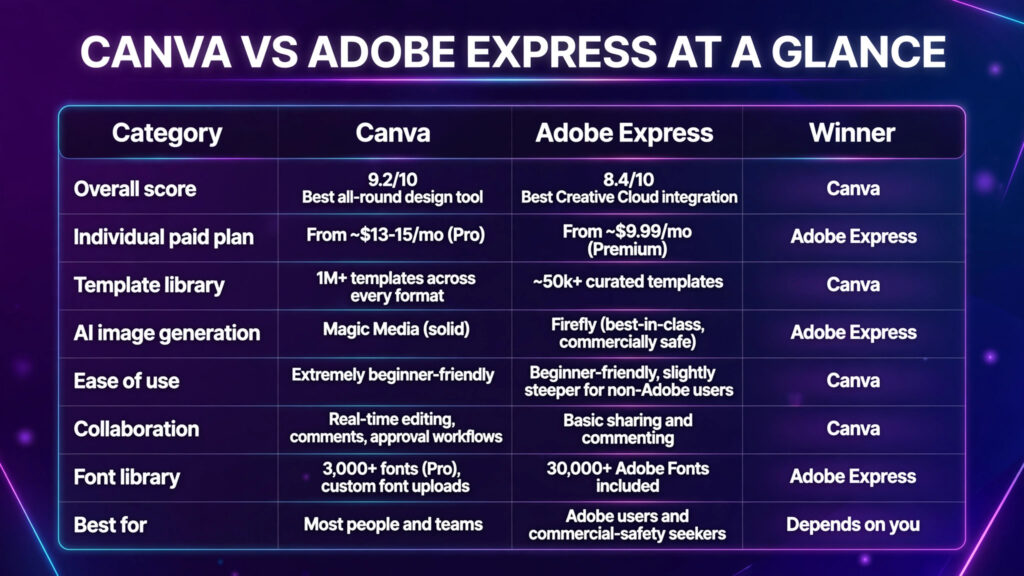
Quick Answer: Canva vs Adobe Express at a Glance
| Category | Canva | Adobe Express | Winner |
|---|---|---|---|
| Overall score | 9.2/10 — Best all-round design tool | 8.4/10 — Best Creative Cloud integration | Canva |
| Individual paid plan | From ~$13–15/mo (Pro) | From ~$9.99/mo (Premium) | Adobe Express |
| Template library | 1M+ templates across every format | ~50k+ curated templates | Canva |
| AI image generation | Magic Media (solid) | Firefly (best-in-class, commercially safe) | Adobe Express |
| Ease of use | Extremely beginner-friendly | Beginner-friendly, slightly steeper for non-Adobe users | Canva |
| Collaboration | Real-time editing, comments, approval workflows | Basic sharing and commenting | Canva |
| Font library | 3,000+ fonts (Pro), custom font uploads | 30,000+ Adobe Fonts included | Adobe Express |
| Best for | Most people and teams | Adobe users and commercial-safety seekers | Depends on you |
What Is Canva?
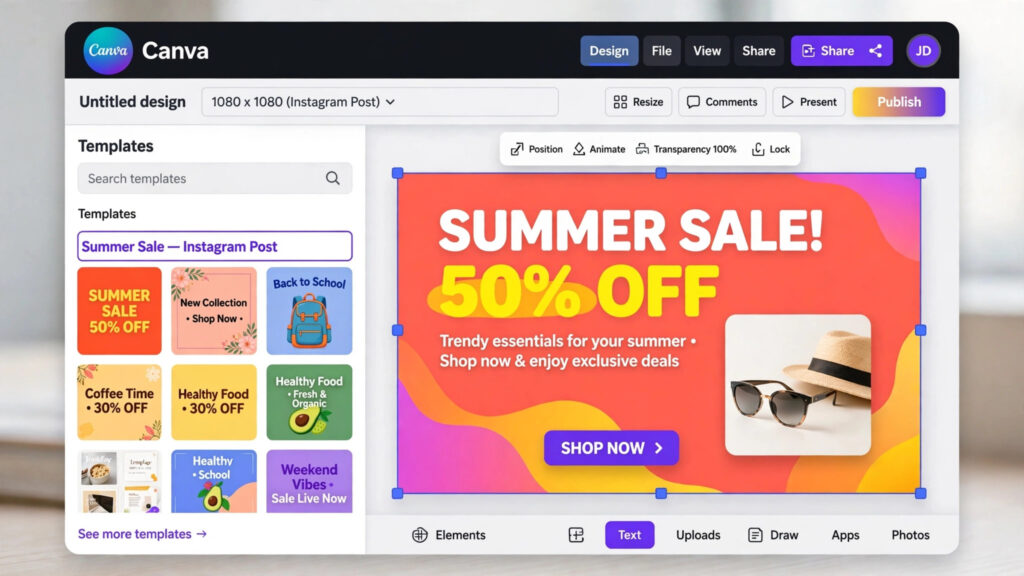
Canva is the world’s most popular browser-based design platform, with hundreds of millions of users. It is built around a simple idea: anyone can create professional-looking graphics by starting from a template and dragging elements around. In 2026, Canva has grown far beyond graphics into a full creative workspace that includes Canva Docs, Whiteboards, Presentations, a video editor, website builder, and Magic Studio — its suite of AI tools covering writing, image generation, background removal, and animation.
What makes Canva special is its ecosystem. Templates number in the millions, a creator marketplace keeps fresh designs arriving weekly, and 100+ app integrations connect it to tools like Runway, D-ID, and your cloud storage. If you want more options for generating images, our guide to the best AI image generators compares the top generators Canva’s AI tools are built alongside.
What Is Adobe Express?
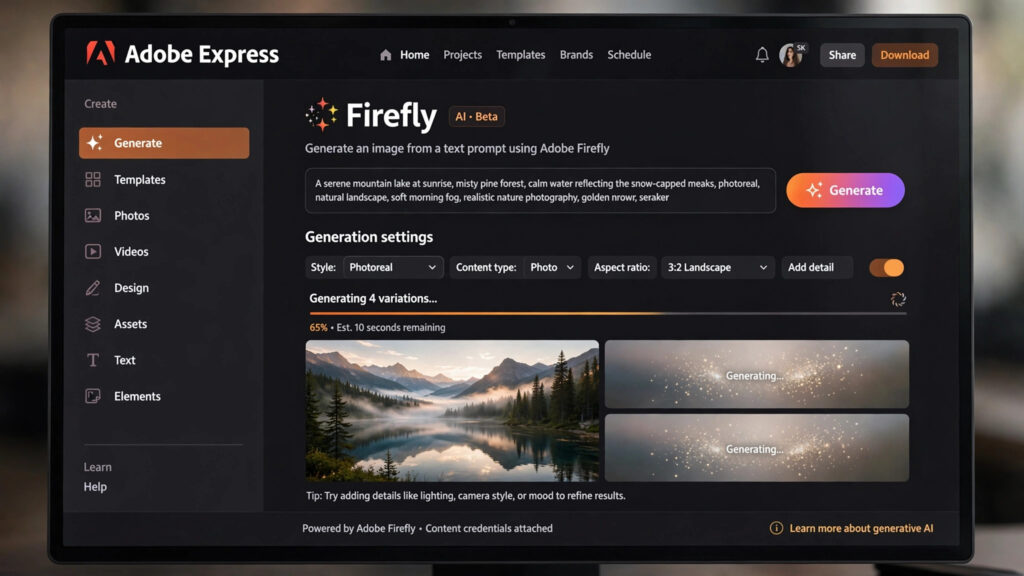
Adobe Express is Adobe’s answer to template-based design — a simplified, web and mobile app that sits alongside the professional Creative Cloud suite. It includes Adobe’s enormous stock library, 30,000+ Adobe Fonts, one-click resizing, background removal, and Firefly-powered generative AI (Firefly models are trained on licensed content, which matters for commercial work).
Its superpower is ecosystem integration. If your organisation already pays for Photoshop, Illustrator, or InDesign, you likely get Express Premium bundled in — and your linked Creative Cloud libraries sync directly into your designs. That alone can make the decision for you.
The Biggest Difference Between Canva and Adobe Express
Here is the simplest way to think about the canva vs adobe express choice:
- Canva is an all-in-one creative workspace — templates, docs, presentations, video, websites, and AI all in one place, with the biggest template and asset ecosystem on the market.
- Adobe Express is a design tool inside the Adobe universe — strongest when you care about Adobe Fonts, licensed stock assets, commercially safe AI imagery, and Creative Cloud workflows.
Choose Canva if you want: the largest template library, the easiest learning curve, the best team collaboration, and one subscription that covers graphics, docs, presentations, and video.
Choose Adobe Express if you want: the cheapest paid plan, Adobe Fonts, deep Adobe Stock access, Firefly’s commercially safe AI generation, and tight integration with Photoshop and Illustrator.
Round 1: Ease of Use
Winner: Canva
Canva’s editor is the most beginner-friendly in the business. Everything is drag-and-drop, the toolbar uses plain language, and you rarely need a tutorial to finish your first design. Undo/redo, layers, and alignment guides behave exactly as you’d expect.
Adobe Express is also approachable, but it carries a slightly more professional feel — panels and terminology occasionally echo Photoshop, which helps if you’re an Adobe user and mildly confuses you if you’re not. If you’ve never used design software, Canva gets you to a finished post noticeably faster.
Best for beginners: Canva
Best for someone already familiar with Adobe: Adobe Express
Round 2: Templates and Design Starting Points
Winner: Canva
Canva’s template library is the largest in the industry — well over a million templates spanning social posts, stories, presentations, documents, infographics, videos, and print. Quality is consistently good and community creators add new designs constantly, so you’ll almost always find a starting point close to what you need.
Adobe Express offers tens of thousands of templates. They’re clean and well-designed, but the selection feels noticeably thinner — especially for niche formats like YouTube thumbnails or course slides. For anyone creating content regularly, see also our picks of the best AI tools for content creators to pair with either platform.
Winner: Canva
Round 3: AI Design Features
Winner: Tie — with different strengths
This is the closest round in the canva vs adobe express comparison.
Canva AI (Magic Studio): Canva offers the broader AI suite — Magic Write for copy, Magic Media for image generation, Magic Edit and Magic Eraser for photo edits, Magic Expand for outpainting, and Magic Animate for one-click motion. It’s all woven directly into the editor, so AI feels like a natural part of designing rather than a separate feature.
Adobe Express AI (Firefly): Adobe’s Firefly produces some of the most consistent, high-quality AI imagery available, and crucially, it’s trained on licensed Adobe Stock content. For commercial use, that dramatically reduces IP risk — Firefly is the generator I’d trust most for client work. (We cover the copyright angle in depth in our roundup of the best AI image generators.)
Who has better AI? For breadth, Canva. For image quality and commercial safety, Adobe Express. Because the use cases differ, this round is a genuine tie.
Winner: Canva
Canva remains the social media champion. Its content planner lets you schedule posts directly to platforms, Magic Resize adapts one design to every channel’s dimensions, and the social templates are the freshest and most varied of the two. The 100+ app integrations (including video AI apps) make Canva a genuine content-production hub.
Adobe Express handles social resizing and scheduling too, but with fewer templates and a smaller integration ecosystem, it feels like a design tool first and a social workflow second.
Round 5: Photo Editing
Winner: Adobe Express
Adobe’s imaging heritage shows here. Generative Fill (Firefly-powered) lets you add, remove, or expand elements in photos with results that genuinely look photographic. Colour controls and retouching feel a step more professional than Canva’s.
Canva’s background remover and Magic Edit are excellent for quick social graphics, but for serious photo work, Adobe Express pulls ahead. If photo editing is central to your workflow, also compare dedicated options in our guide to the best free AI tools.
Round 6: Video Editing
Winner: Canva
Canva’s video editor is the more complete product: a proper timeline, transitions, beat-synced audio, auto-captions, and script-to-video AI features. It’s good enough for YouTube intros, product clips, and course videos.
Adobe Express offers simpler video editing — fine for animated social posts and quick clips, but limited for anything multi-scene. If you’re planning heavier video work, browse our best AI tools for content creators roundup.
Round 7: Brand Kits and Business Branding
Winner: Canva
Canva’s Brand Kit is the deeper product: multiple brand kits, logos, colour palettes, fonts, brand templates, and brand controls that lock elements so team members can’t go off-script. On Business plans, brand management scales to large organisations.
Adobe Express includes a solid brand kit on Premium (logos, fonts, colours), but controls are less granular and multi-brand management is weaker. For businesses where brand consistency matters, Canva wins clearly.
Round 8: Collaboration
Winner: Canva
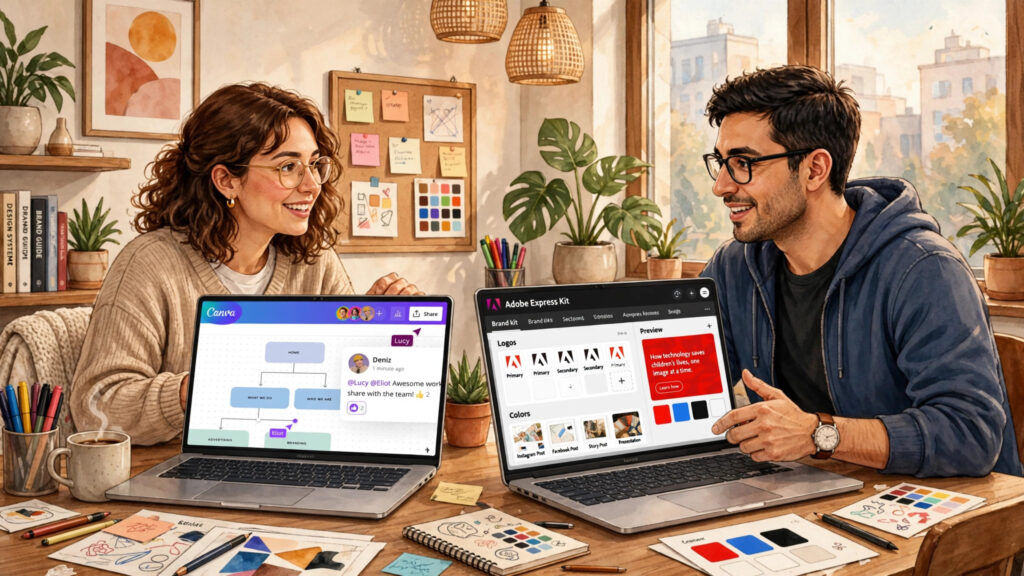
This round isn’t close. Canva offers real-time co-editing, comments, share links with view/edit permissions, folders, and approval workflows on team plans. It genuinely behaves like Google Docs for design.
Adobe Express supports sharing and commenting, but lacks Canva’s live collaboration depth and permission granularity. If more than one person touches your designs regularly, this round alone usually decides the canva vs adobe express question.
Round 9: Fonts and Stock Assets
Winner: Adobe Express for professional asset depth
Adobe Express ships with 30,000+ Adobe Fonts — the same type library professional designers use — plus deep integration with Adobe Stock’s 200M+ photos, videos, and vectors. For premium, licensed asset quality, nothing else in this price range competes.
Canva’s 100M+ stock assets (on Pro) and 3,000+ fonts are nothing to dismiss, and the sheer variety suits everyday marketing. But for typography and stock depth at a professional standard, Adobe Express wins.
Round 10: Presentations
Winner: Canva
Canva Presentations is a genuine PowerPoint alternative: presenter mode, speaker notes, remote presenting, recording, and thousands of slide templates. It’s the default choice for non-designers who need impressive decks.
Adobe Express can make simple slides, but it lacks presenter tooling and slide depth. For students building decks, our AI tools for students guide has more presentation picks.
Round 11: Small Business Use
Winner: Canva
Most small businesses need one affordable tool that covers social posts, flyers, menus, invoices, presentations, and a bit of video — with multiple staff able to use it. Canva’s template depth, brand controls, and collaboration make it the natural fit, and the Business plan scales as you grow.
Round 12: AI Image Generation for Designs
Winner: Adobe Express
When the image inside the design matters — hero images, product scenes, campaign visuals — Firefly’s quality and commercial safety give Adobe Express the edge. Canva’s Magic Media is perfectly good for everyday graphics, but Firefly images look more photographic and carry less licensing risk.
Round 13: Print Design and Export
Winner: Canva
Canva Pro supports print-ready PDF export with bleed and CMYK, plus Canva Print — an integrated print service. For flyers, business cards, and menus, the print workflow is genuinely finished. Adobe Express exports PDFs but is less print-oriented overall.
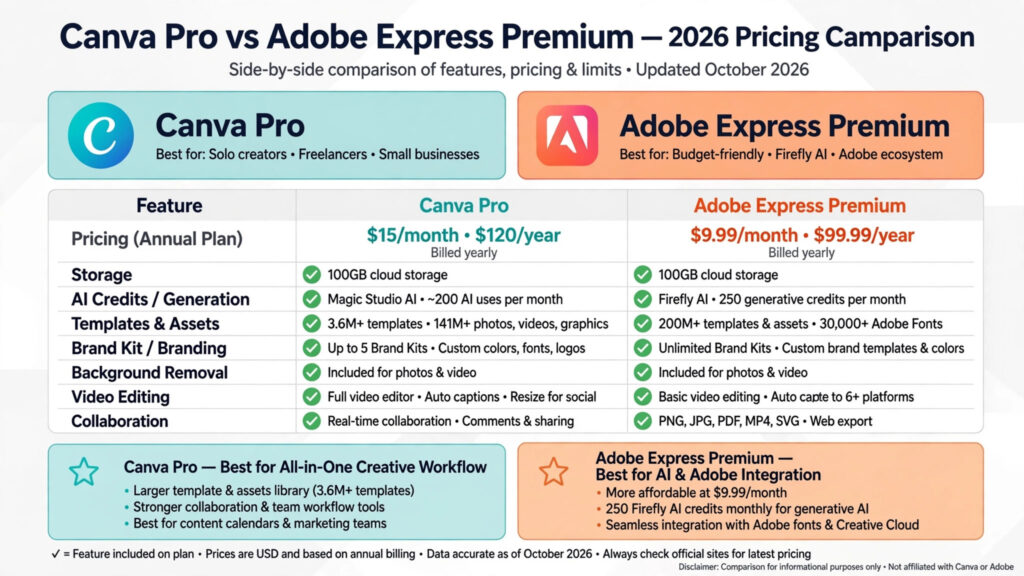
Round 14: Pricing — Canva vs Adobe Express
Winner: Adobe Express (on price alone)
Pricing moves often, so always confirm on the official pricing pages — but the pattern in 2026 is consistent:
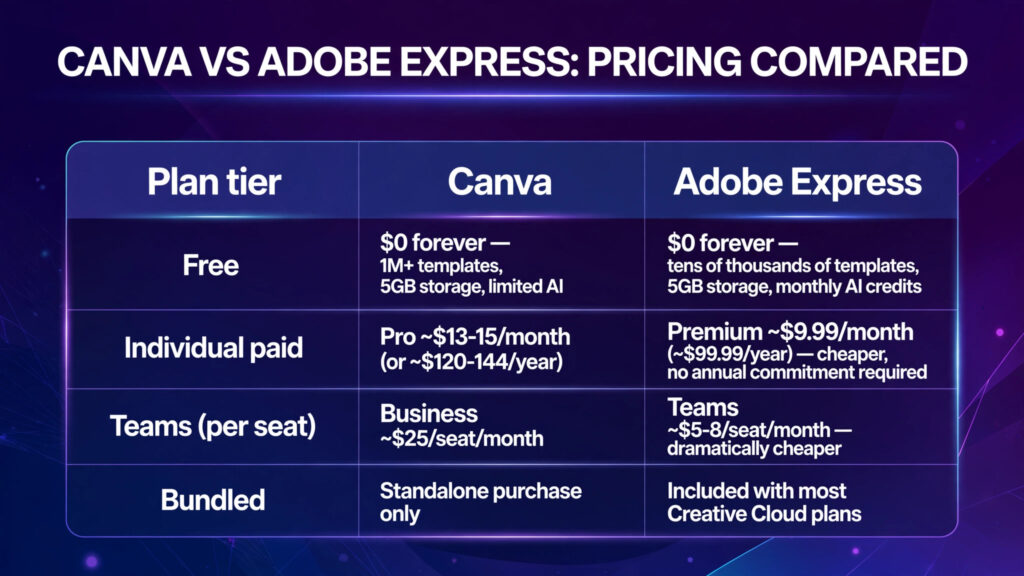
| Plan tier | Canva | Adobe Express |
|---|---|---|
| Free | $0 forever — 1M+ templates, 5GB storage, limited AI | $0 forever — tens of thousands of templates, 5GB storage, monthly AI credits |
| Individual paid | Pro ~$13–15/month (or ~$120–144/year) | Premium ~$9.99/month (~$99.99/year) — cheaper, no annual commitment required |
| Teams (per seat) | Business ~$25/seat/month | Teams ~$5–8/seat/month — dramatically cheaper |
| Bundled | Standalone purchase only | Included with most Creative Cloud plans |
Adobe Express is cheaper on nearly every tier, and if your organisation already pays for Creative Cloud, Express Premium may already be included — making it effectively free. Canva counters with a more generous free plan (notably, background removal typically needs Pro on Canva but is available on Express’s free/Premium tiers). Check canva.com and adobe.com/express for current rates.
Which is cheaper? Adobe Express, clearly — but Canva’s Pro plan includes more of an all-in-one workspace for the money.
Full Comparison: Canva vs Adobe Express Scorecard
| Feature | Canva | Adobe Express | Winner |
|---|---|---|---|
| Template library | 1M+ templates, every format | ~50k curated templates | Canva |
| AI image generation | Magic Media (solid) | Firefly (best-in-class, commercially safe) | Adobe Express |
| AI suite breadth | Magic Write, Edit, Expand, Eraser, Animate | Firefly generation, Generative Fill | Canva |
| Brand kit | Multiple kits, brand locking, templates | 1 brand kit (free), unlimited on Premium | Canva |
| Video editing | Timeline editor, transitions, auto-captions | Basic editing, simpler timeline | Canva |
| Team collaboration | Real-time co-editing, comments, approvals | Basic sharing and commenting | Canva |
| Creative Cloud integration | Import-only | Live linked PSD/AI assets via CC Libraries | Adobe Express |
| Font library | 3,000+ (Pro), custom uploads | 30,000+ Adobe Fonts | Adobe Express |
| Stock assets | 100M+ (Pro) | 200M+ Adobe Stock (Premium) | Adobe Express |
| Background removal | One-click (Pro; limited free) | Available, generous on free | Adobe Express |
| Print/export | Print-ready PDF, CMYK, Canva Print | PDF export, less print-focused | Canva |
| Presentations | Presenter mode, speaker notes | Basic slides | Canva |
| Free plan quality | Very generous | Good, with Firefly credits | Canva |
| Premium price | ~$13–15/mo | ~$9.99/mo | Adobe Express |
| Mobile app | Excellent, full feature parity | Good iOS/Android | Canva |
| Ease of use | Extremely beginner-friendly | Beginner-friendly | Canva |
Final score: Canva wins 9 rounds, Adobe Express wins 5. Canva takes the overall crown; Adobe Express dominates the asset-quality and pricing rounds.
Who Should Pick Which? How to Choose
Pick Canva if you are:
- A beginner who wants the gentlest learning curve
- A marketer or social media manager publishing across channels
- A small business needing one tool for graphics, docs, decks, and video
- A team that needs real-time collaboration and brand controls
- An educator, student, or creator who wants the biggest template ecosystem
Pick Adobe Express if you are:
- Already paying for Adobe Creative Cloud (check — Premium may be included)
- A designer or marketer who needs Adobe Fonts and premium stock
- Creating commercial work where Firefly’s licensed training data reduces legal risk
- Price-sensitive and want the cheapest capable paid plan
- Doing photo-heavy designs where Generative Fill shines
Still unsure? Run the five-minute test: import an existing asset, remove one background, create two brand variations, resize for three channels, and export. Do it in both tools. The faster, more pleasant result is your answer — and both free plans make this test free.
Getting Started: Your First Design in Either Tool
- Sign up free on canva.com or adobe.com/express — no credit card needed for either free plan.
- Search templates for your format (e.g. “Instagram post”, “pitch deck”, “flyer”) and pick a starting point close to your vision.
- Set up your brand kit — upload your logo, set brand colours and fonts once, and every future design starts on-brand.
- Try the AI tools — generate a background image, remove a background, or let Magic Write / Firefly draft your copy and visuals.
- Resize and export — adapt the design to each channel’s dimensions, then export as PNG, JPG, PDF, or MP4.
- Upgrade only when you hit a wall — most people can evaluate for weeks on the free plans before a paid tier earns its keep.
FAQs: Canva vs Adobe Express
1. Which is better overall, Canva or Adobe Express in 2026?
Canva is better for most people thanks to its larger template library, superior collaboration, and all-in-one workspace. Adobe Express wins for Adobe ecosystem users, commercial-safe AI imagery, and lower pricing.
2. Is Adobe Express cheaper than Canva?
Yes. Adobe Express Premium costs around $9.99/month versus Canva Pro at roughly $13–15/month, and team pricing is dramatically cheaper. It’s also bundled with many Creative Cloud plans. Prices change, so verify on the official pricing pages.
3. Can Adobe Express replace Photoshop?
No — and it’s not meant to. Express handles template-based design, quick edits, and social graphics. Photoshop remains the tool for professional retouching, compositing, and print production.
4. Which has better AI image generation?
Adobe Express, via Firefly — image quality is more consistent and photographic, and the licensed training data makes it safer for commercial use. Canva’s Magic Media is broader across the design workflow but a step behind on pure image quality.
5. Is Canva or Adobe Express better for teams?
Canva, clearly. Real-time co-editing, granular permissions, shared folders, brand locking, and approval workflows make it the stronger team platform. Express suits individuals and small groups.
6. Do I get Adobe Express free with Creative Cloud?
In most cases, yes — Adobe Express Premium is included with many Creative Cloud Single App and All Apps plans, as well as some Acrobat plans. Check your Adobe account to confirm.
7. Which free plan is better?
Canva’s free plan is more generous for templates and general design. Adobe Express’s free plan includes monthly Firefly AI credits and background removal, which Canva restricts to Pro. Pick based on whether you value templates (Canva) or AI credits (Express).
8. Can I use both Canva and Adobe Express together?
Absolutely. Many designers use Canva for fast social and team content and Adobe Express (or Photoshop) for hero imagery and print. Exporting between them via PNG, JPG, or PDF is straightforward.
Conclusion: Our Verdict
The canva vs adobe express contest doesn’t have one universal winner — but it has a clear default. Choose Canva if you want the best all-round design platform for 2026: the biggest template library, the friendliest collaboration, and one subscription covering graphics, presentations, docs, and video. Choose Adobe Express if you live in Adobe’s world, need premium fonts and stock, want Firefly’s commercially safe AI imagery, or simply want the cheapest capable paid plan.
Either way, start free, run the five-minute test on your real workflow, and let the tool prove itself before you pay. For more creative AI comparisons, explore our guides to the best AI image generators, the best free AI tools, and the best AI tools for content creators.