
In October 2026, about 83 out of every 100 rents owed to independent landlords arrived on time, while roughly 13 out of every 100 arrived late in the late summer months, according to Chandan Economics data. That gap is not an abstract statistic for a small landlord. It is a mortgage payment that waits, a repair that cannot be booked, and a week spent chasing messages across email, text and a spreadsheet that nobody updated. Industry tracking also reports that only about 40 percent of property managers use dedicated property management software, while about 73 percent use mobile apps for maintenance requests. Many small landlords sit in an awkward middle, fixed when you use Airtable for rental property management.
They are too organised for a single messy spreadsheet, but not ready to pay for a full property management platform. That is the exact gap where people decide to use Airtable for rental property management, because it gives a small portfolio a linked database, a rent ledger and a repair queue without forcing a whole new business system on the owner.
This guide builds that system from scratch. You will set up one base with linked tables for properties, tenants, leases, rent payments, repairs and vendors, add views that show what is due this week, automate reminders and repair alerts, and learn where Airtable stops being enough. It is written for owners with one to 30 units who self manage, and for small teams where one person does most of the admin and a contractor helps with repairs. Prices reflect publicly listed Airtable figures checked in October 2026, and you should confirm the price at checkout before you pay.
If you follow the template here, you should be able to run rent week from one screen and see which units are making money.
Why a Spreadsheet Stops Working at Five Units
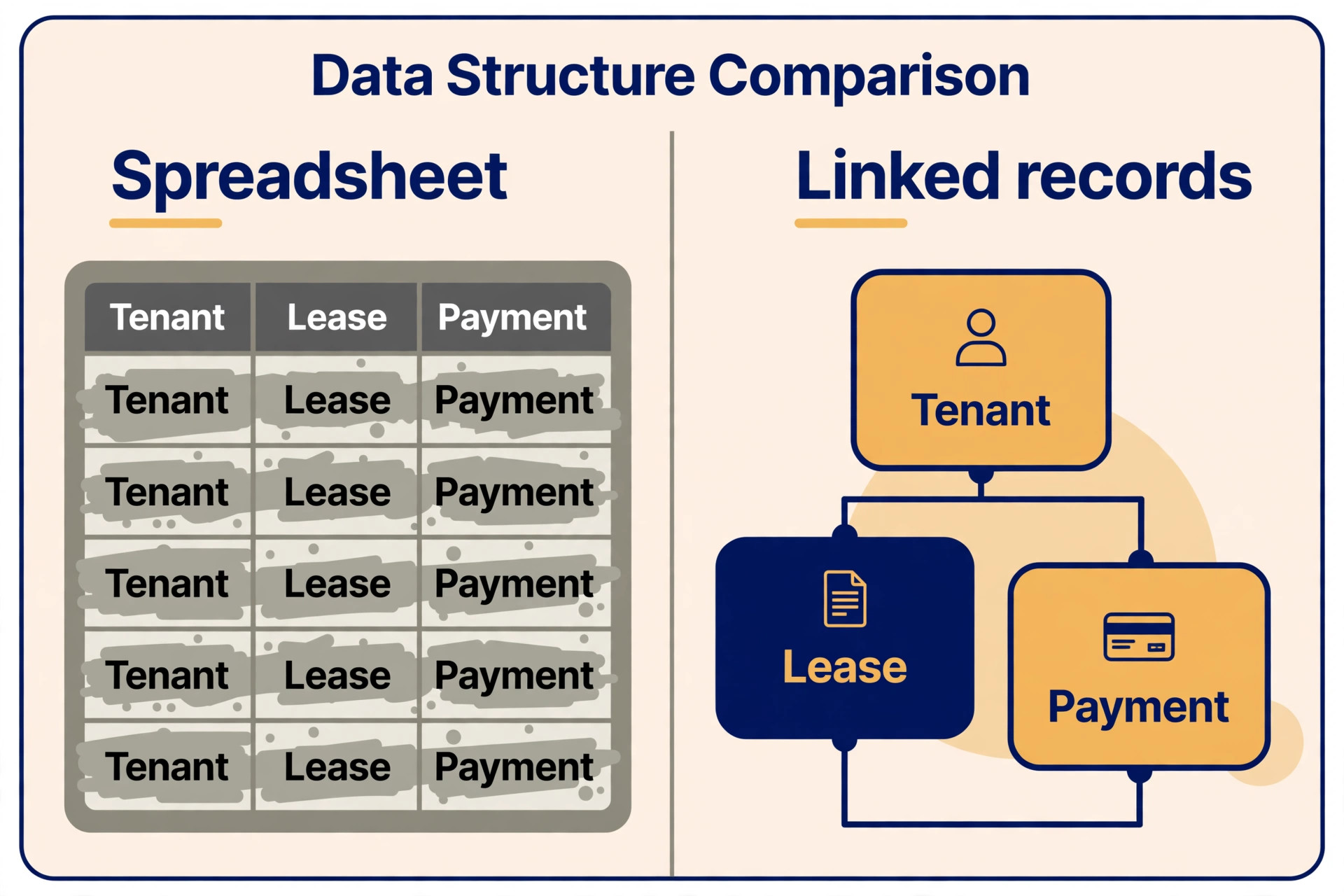
One unit is easy to track in a spreadsheet. Five units are where the spreadsheet starts to lie to you, not because the formulas break, but because the same fact lives in four places at once. The tenant phone number is in a contacts sheet, the lease end date is in a lease sheet, the last repair is in a maintenance sheet, and the rent record is in a payments sheet. Change a phone number in one place and the other three stay wrong. Answering which leases expire soon means filtering three sheets.
Airtable fixes that problem by linking records instead of copying facts. A tenant record links to a property record and to a lease record. A rent payment links to the tenant and the property. A repair links to the property, the tenant who reported it, and the vendor assigned to fix it. Update the tenant phone number once and every linked view shows the new number. That change is the difference between a system you trust and a system you double check every time.
How to Use Airtable for Rental Property Management Without Hiring a Manager
To use Airtable for rental property management well, think of it as three jobs, not one app. The first job is record keeping. Properties, tenants, leases, payments, repairs and vendors must each have one home, with clear fields and no duplicate facts. The second job is weekly control. Each week you open one rent view, one repair view and one lease view, and you act on what is overdue, unassigned or expiring soon. The third job is proof. At tax time, at renewal time, and during a dispute, you need a dated trail that shows what was paid, what was reported, what was fixed and what it cost.
Do not try to replace your bank, your payment processor or your accountant with Airtable. Airtable is not a bank account, it does not move money by itself, and it is not tax software. Rent still arrives through bank transfer, a payment app or a rent collection tool. You record it in Airtable, and Airtable then shows who is current, who is late and how much each property earned after repairs. Keep that boundary clear. Set a rule for who edits what before you invite anyone. The owner edits rent, leases and vendor payments. A tenant submits through a form, but does not edit the base.
A contractor updates repair status through a form or a limited interface, but does not see tenant financial records.
The Base Structure Template You Can Copy in an Afternoon
This is the overview proof part of the guide, the part a search summary cannot replace, because it gives you a working structure to copy, not just a description of Airtable. Build one base called Rental Portfolio. Inside it, create six tables and link them in the order below. Create the tables and fields first, add one property and one tenant as a test, run a rent record and a repair record through the system, and only then import the rest of your portfolio. That test catches field mistakes when they are cheap to fix. This template is the fastest way to use Airtable for rental property management without rebuilding the structure twice.
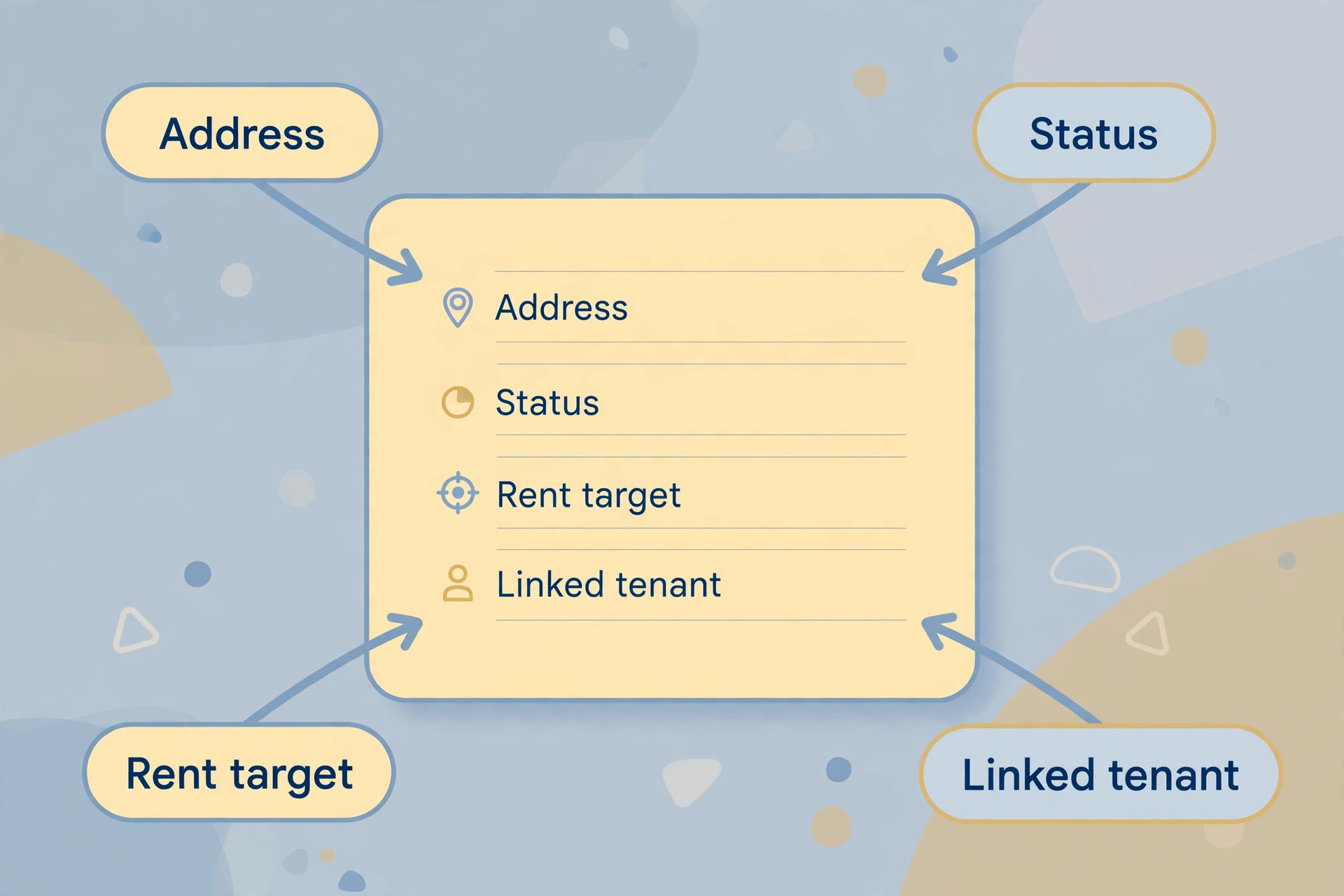
Table one is Properties. Fields to include are property name or code, full address, unit count, property type, bedrooms and bathrooms, monthly rent target, insurance renewal date, inspection date, and status. Status should be a single select field with values such as occupied, vacant, under repair and listed. Add an attachment field for photos. Keep the property record short. It is an index, not a file cabinet. Table two is Tenants. Fields to include are full name, phone, email, linked property, linked lease, move in date, emergency contact, and communication notes. Do not store identity documents, bank details or payment card data in Airtable.
Store a note about where the secure document lives, and keep the actual document out of the base. For households with two tenants, create two tenant records and link both to the same property and lease.
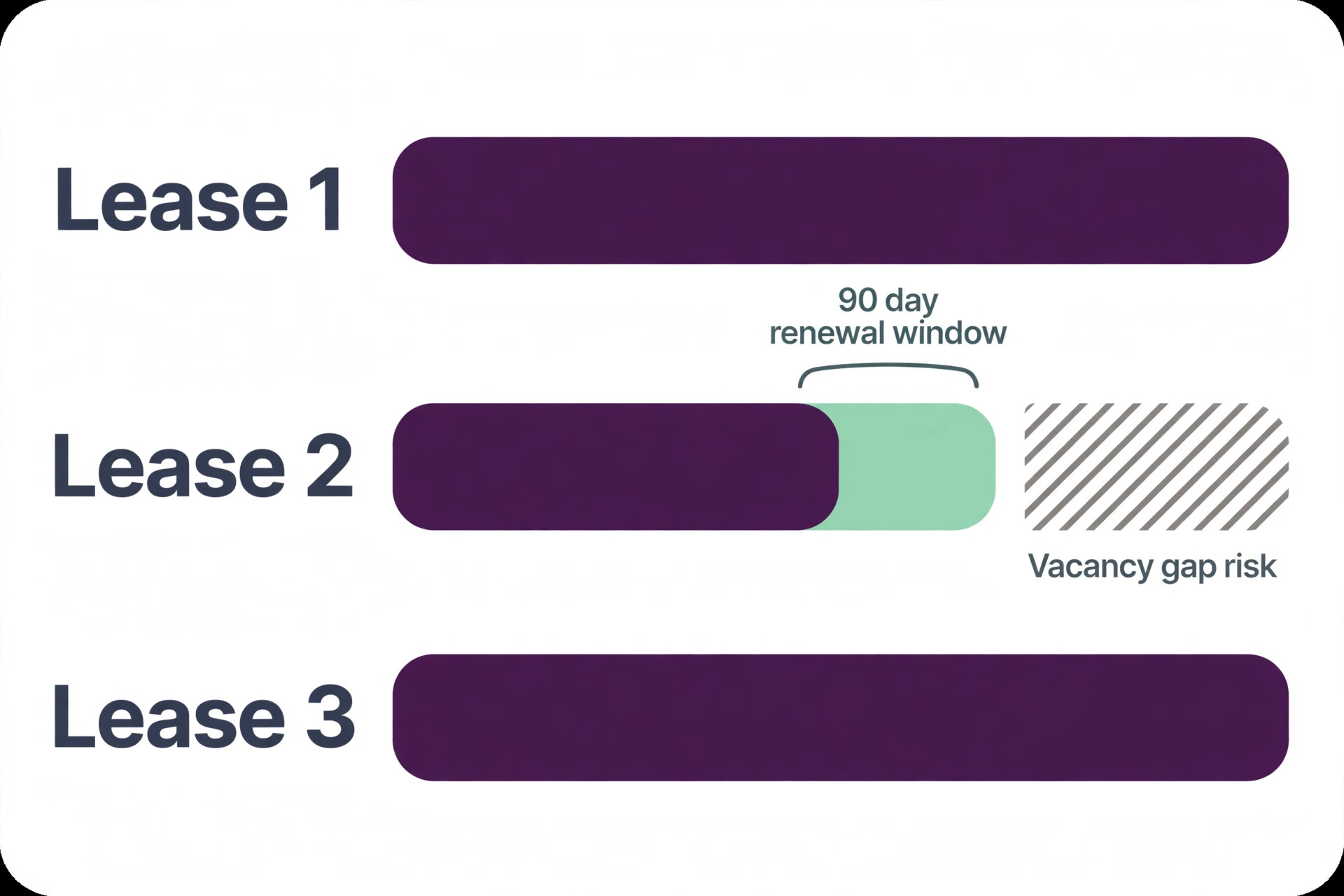
Table three is Leases. Fields to include are linked property, linked tenants, lease start date, lease end date, monthly rent, deposit amount, rent due day, late fee rule, renewal notice date, and lease status. Add a formula field for days to expiry, and a view filtered to leases expiring in the next 90 days. That view is your renewal pipeline. Table four is Rent Payments, covered in full in the next rent section. Table five is Repairs, covered in full below. Table six is Vendors. Fields to include are vendor name, trade, phone, email, agreed rate or callout fee, average response time, and notes. Link each repair to a vendor.
After six months, you can sort vendors by jobs completed, average cost and repeat problems. Add Expenses and Inspections tables only after the core six are working, one at a time.
Build the Tenants and Leases Tables First
For each tenant, use one record per person, one email and one phone per record, and a clear link to the property they occupy. If a tenant moves units, do not overwrite the old property link and lose history. End the old lease, create a new lease, and link the tenant record to the new lease. The tenant record stays, the lease history grows, and you can still see that this person lived in unit A before unit B. That history matters when you need to check past payment behaviour or a deposit dispute. A base that overwrites history looks tidy and tells lies.
Lease dates deserve more care than most landlords give them. Enter the lease start and end as dates, not as text such as June 2026, because formulas and calendar views need real dates to work. Set the rent due day as a number, such as 1 or 5, and set the late fee rule as a short text note that matches the lease document. Do not use Airtable to invent a late fee that is not in the lease, and do not automate a late fee message that your local rules would not support. Check your lease and local rules first, then mirror them in the base.
Save a view for leases expiring in the next 90 days, so a renewal cluster in one month does not catch you by surprise.
Build Rent Tracking That Flags Problems Early
Rent tracking is where a rental base earns its keep, and it is also where a bad design creates false confidence. The Rent Payments table should have one record per tenant per month, not one record per property per year with twelve columns for months. One record per month lets you filter by month, group by property, sum by tenant, and spot a missing month at a glance. A yearly row with month columns looks compact and breaks every report you will ever want. Use the monthly record structure even if it feels like more rows. Rows are cheap. Bad structure is expensive.
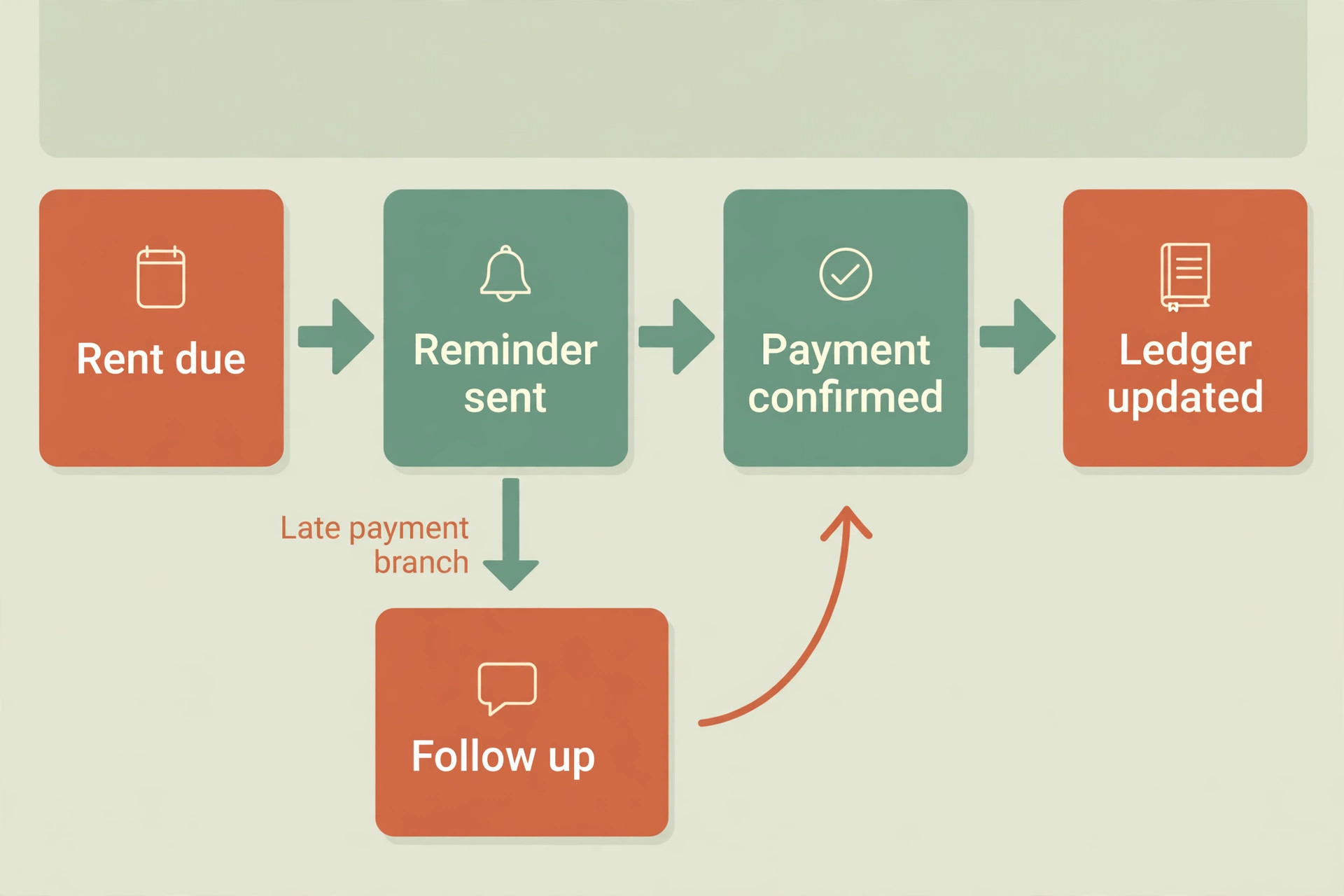
Use these fields for each rent payment record. Linked property, linked tenant, linked lease, month, rent due date, rent due amount, amount paid, date paid, payment method, status, late fee charged, and notes. Status should be a single select field with values such as due, paid, partial, late and waived. Do not use paid as a default. A payment starts as due, moves to paid only when money is confirmed, and moves to partial when part of the amount arrives. That discipline keeps the overdue view trustworthy. A clean rent ledger is one reason to use Airtable for rental property management instead of a loose spreadsheet.
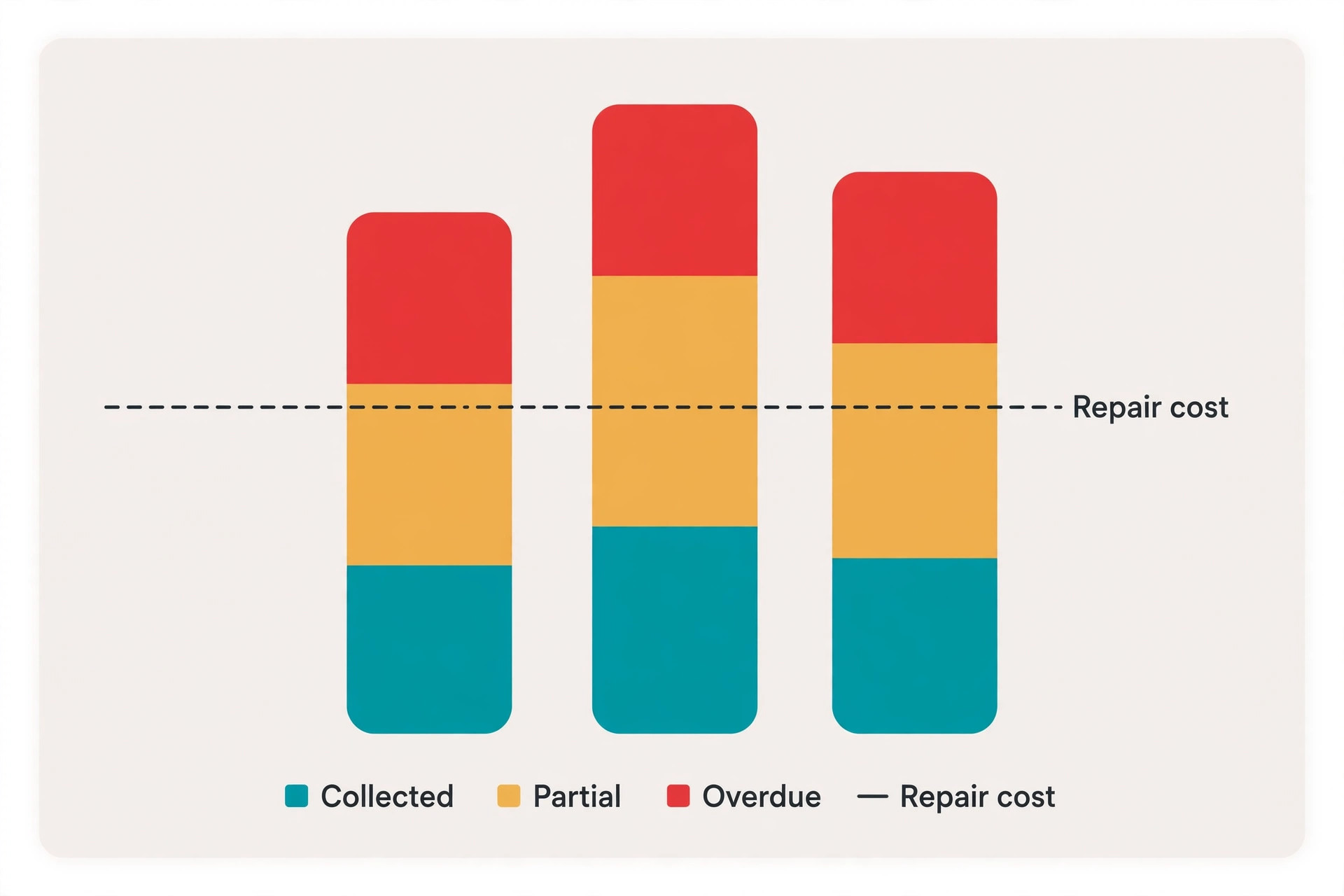
Add formula fields for amount outstanding, calculated as rent due amount minus amount paid, and days late, calculated from due date and date paid or today if unpaid. Add a view called Rent Due This Week, filtered to due date in the next seven days and status not paid. Add a view called Overdue Rent, filtered to due date before today and status due, partial or late, sorted by days late descending. Add a view called Rent by Property This Month, grouped by property, with sums for rent due, amount paid and amount outstanding. Those three views are your rent week, in that order.
Build Repair Tracking That Tenants Actually Use
Repairs fail when the intake is hard, the status is invisible, or the history is lost. A tenant who reports a leak by text, hears nothing for three days, then reports it again by email has not created two repairs. They have created one repair and one duplicate, plus frustration. The Repairs table should therefore start with intake, not with vendor assignment. Create a form for repair requests with fields for linked property or unit, tenant name, problem description, category, urgency, photos, permission to enter, and best contact time. Share that form link with every tenant at move in, and put it in the welcome pack, not just in an email that gets buried.
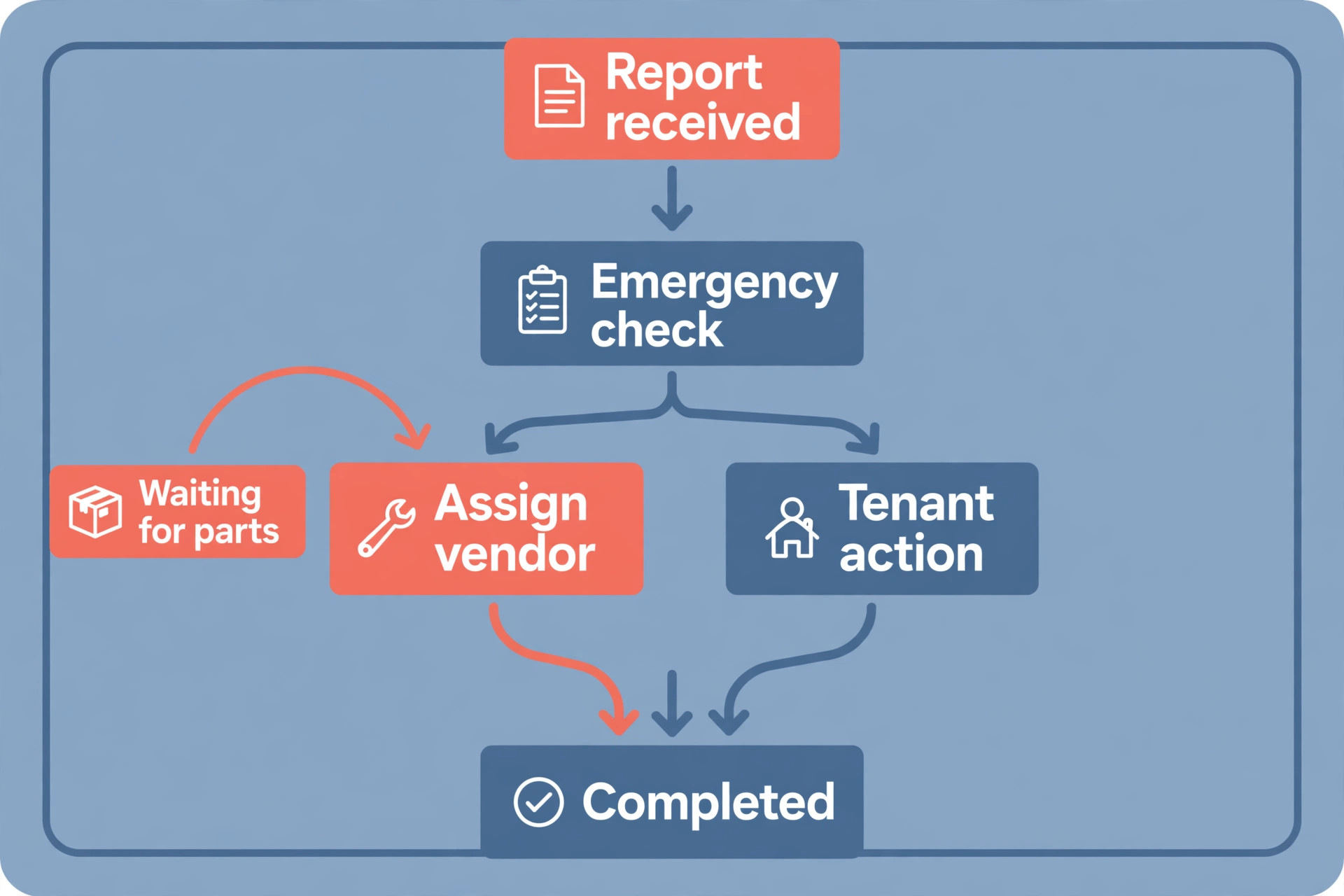
Use these fields for each repair record. Linked property, linked tenant, date reported, category, description, urgency, status, assigned vendor, date assigned, date completed, cost, invoice attachment, and tenant confirmation. Category should be a single select field with values such as plumbing, electrical, heating, appliance, locks and doors, damp and mould, exterior and general. Status should be a single select field with values such as reported, triaged, assigned, waiting for parts, in progress, completed and closed. Urgency should be a single select field with values such as emergency, urgent and routine, with a written definition for each. An emergency is a risk to safety, security or habitability, such as a major leak, no heating in winter, or a broken external lock.
Triage is the step most small landlords skip, and it is the step that saves the most money. Triage means reading the request, checking photos, deciding urgency, and deciding whether the job needs a contractor, a visit from you, or a tenant action such as resetting a breaker or clearing a filter. Create a Kanban view grouped by status, so triage is a drag from reported to assigned, not a search through email. Create a view for emergency and urgent jobs only, sorted by date reported, so a serious job cannot hide behind ten routine jobs.
Create a view for jobs waiting for parts, because those jobs look assigned but are actually stalled, and stalled jobs are the ones tenants chase most. Link each invoice to the repair, record the cost, and note the cause, so repeated problems by property become visible over time. Close the loop with the tenant. When a repair moves to completed, ask the tenant to confirm the fix. When the tenant confirms, move status to closed.
Automations That Save Hours Without Losing Control
A good automation has a clear trigger, a clear action, and a human check where money or legal risk is involved. A bad automation sends messages you would not send yourself, creates records nobody reviews, or fires so often that you start ignoring alerts. Start with five automations only, run them for a month, and add more only when a repeated manual job proves it needs one.
Automation one sends a rent reminder three days before the due date, with property, amount and due date pulled from linked records. Automation two sends a follow up the day after the due date if status is still due or partial. Keep the tone polite and factual, with amount outstanding and a request to confirm payment or contact you. Automation three alerts you when a new repair form is submitted, with property, category, urgency and photos. That alert should go to you, not to a vendor, until you have triaged the job. Automation four alerts you when a lease enters the 90 day expiry window.
Automation five alerts you when a repair has sat unassigned or waiting for parts too long.
What Airtable Costs and When It Stops Being the Right Tool
Airtable offers a free plan at no cost, a Team plan at 20 dollars per seat per month when billed annually, or 24 dollars per seat per month when billed monthly, and a Business plan at 45 dollars per seat per month when billed annually, or 54 dollars per seat per month when billed monthly, according to publicly listed figures checked in October 2026. Enterprise pricing is custom. Record limits rise from 1,000 records per base on the free plan, to 50,000 on Team, to 125,000 on Business. Attachment storage rises from 1 GB per base on free, to 20 GB on Team, to 100 GB on Business.
Automation runs rise from 100 per month on free, to 25,000 on Team, to 100,000 on Business. Check pricing at checkout, because limits change.
For a solo landlord, the free plan can work for one to three units if you keep photos light, keep automations minimal, and accept the 1,000 record limit. A three unit portfolio creates roughly 40 to 60 rent and repair records a year, plus tenant and lease records, so the free limit lasts a few years if you archive old years into a separate archive base. At five to ten units, the Team plan usually becomes the sensible choice, not because of seats, but because of record limits, attachment storage and automation runs. One editor seat at 20 dollars per month on annual billing is 240 dollars a year.
At ten units with two editors, Team costs 40 dollars per month on annual billing, or 480 dollars a year, before any add ons. Portals, for tenants or contractors to see their own records, are a separate add on, so do not assume a tenant portal is included in the seat price.
Airtable stops being the right tool in four clear cases. First, if you need built in rent collection with late fee enforcement, tenant screening, and owner statements as one product, a dedicated property management platform will save more time than a custom base, even if it costs more per month. Second, if you manage more than about 50 units with multiple staff, complex trust accounting, and audit requirements, a dedicated platform with proper accounting controls is safer than a flexible base that anyone can edit. Third, if your main need is a tenant facing app with logins, document signing and payment history for hundreds of tenants, a purpose built tenant app will feel more complete.
Fourth, if you will not maintain the base weekly, no tool will help. A neglected Airtable base becomes a neglected spreadsheet with nicer views. Buy the tool you will actually open every rent week, not the tool with the longest feature list. To use Airtable for rental property management at this scale, price the plan that fits your record and automation limits, not just the cheapest seat.
| Plan | Annual price per seat | Records per base | Attachment storage | Automation runs per month |
|---|---|---|---|---|
| Free | 0 dollars | 1,000 | 1 GB | 100 |
| Team | 20 dollars | 50,000 | 20 GB | 25,000 |
| Business | 45 dollars | 125,000 | 100 GB | 100,000 |
| Enterprise Scale | Custom | 500,000 | 1 TB | 500,000 |
Match the Setup to Your Unit Count
Choosing a setup starts with unit count and with who does the work, not with plan features. A solo landlord with two units needs a simple base, a rent view, a repair form, and a lease expiry view. A landlord with ten units and a part time assistant needs shared views, contractor views, and automations for reminders and alerts. A small team with 25 units needs clear edit rules, a vendor history, an expenses table, and a monthly property profit view. Build for the portfolio you have now, with room to add tables later, rather than building for a 50 unit portfolio you may never own. A base built for a future portfolio feels heavy today and gets abandoned.
Next, choose your payment flow before you choose your fields. Decide how rent arrives, who confirms it, and how often you reconcile. If rent arrives by bank transfer, your workflow is confirmation plus recording. If rent arrives through a payment app, your workflow may include a weekly export or a sync, plus a check for fees. If you use a dedicated rent collection tool, Airtable becomes the record and reporting layer, not the collection layer, and you should design the rent table to match the collection tool export, with the same month labels and tenant names. A mismatch in names or month labels creates reconciliation work every month.
Mistakes That Break a Rental Base
The first mistake is typing tenant names as plain text in the rent and repair tables instead of linking to the Tenants table. Plain text looks faster on day one and breaks every filter, group and sum later. If you have already made this mistake, fix it before you add more records. Create the tenant records, link the existing payments and repairs to them, and then hide or delete the plain text name field. That cleanup takes an afternoon for a small portfolio and saves months of manual filtering later.
The second mistake is building too many fields. A property record with 40 fields, most of them empty, is harder to use than a record with 12 fields that are always filled. Every field should answer a question you actually ask. Add a field only when a real decision needs it. A lean base gets used. A bloated base gets avoided. The third mistake is giving everyone full edit access. Tenants should not edit rent amounts. Contractors should not edit lease terms. An assistant should not change deposit amounts without approval. Use forms and filtered views for limited updates, and keep full edit rights for the owner and a trusted manager only.
A 30 Day Rollout Plan
Week one is setup and test. Create the base, create the six core tables, add one property, one tenant and one lease as test data, and run a rent record and a repair record through the system. Build the three rent views, the repair Kanban view, and the lease expiry view. Test the repair form from a phone, test a rent reminder to yourself, and fix any field that pulls the wrong value. Do not import old data in week one. A clean test week prevents a messy import week.
Week two is import and clean. Import current properties, current tenants, current leases and current rent status for this month. Do not import five years of history yet. Check each lease end date, each rent amount and each tenant contact against the signed lease and your bank record. Fix mismatches now, while the portfolio is still small in the base. Share the repair form with tenants, with a short message that explains the new process, the response times for each urgency level, and the phone route for true emergencies.
Week three is live rent week. Run rent week from Airtable only. Open the overdue view, chase late rent from the list, reconcile with bank deposits, and record partial payments with notes. Run repairs from the Kanban view only, triage new jobs daily, assign vendors from the view, and close completed jobs with tenant confirmation. At the end of the week, note what was slow, what view was missing, and what field was confusing. Week four is review and decide. Check record counts, attachment use and automation runs against your plan limits. Check whether rent chasing took less time than the old method, and whether repair status was easier to answer.
Decide whether the free plan still fits, whether Team is needed, and whether a portal add on is worth testing. After day 30, add Expenses, then Inspections, one at a time.
For related reading, best AI tools for property managers covers wider tool choices for managers, how to automate your rental business with AI shows automation ideas beyond a single base, best accounting software for small business helps with the tax and bookkeeping layer Airtable does not replace, and best AI tools for Airbnb hosts is useful if part of your portfolio is short stay rather than long term lets.
Frequently Asked Questions
Can I use Airtable for rental property management for free?
Yes, for a very small portfolio, if you keep the base lean and watch the limits. The free plan allows 1,000 records per base, 1 GB of attachments per base, and 100 automation runs per month, with up to five editors. That fits one to three units with light photos and few automations, but rent reminders and repair alerts can use up the automation limit quickly as units grow. Check record counts monthly, archive old years when needed, and move to Team when limits, storage or automations start to block rent week.
Do tenants need an Airtable account to report a repair?
No, if you use a form. Tenants open the repair form link, fill in property, problem, urgency, photos and permission to enter, and submit. The submission creates a repair record without giving the tenant access to the base. That separation protects other tenant records and your financial data.
Does Airtable collect rent payments?
No, not by itself. Airtable records rent, tracks due dates, flags overdue amounts, and can send reminders, but money still moves through your bank, a payment app, or a dedicated rent collection tool. Record the payment in Airtable only when it is confirmed, reconcile weekly with bank deposits, and keep the payment tool as the source of truth for money movement. That split keeps the ledger honest and avoids a mismatch between Airtable, the payment tool and the bank.
How many units can I manage in Airtable before I need dedicated software?
Most solo landlords manage one to 30 units well in Airtable, provided they run a weekly rent and repair routine and keep the base lean. The practical limit is less about unit count and more about staff, accounting controls and tenant facing needs. If you need built in rent collection, tenant screening, trust accounting and owner statements as one audited product, or if you manage more than about 50 units with multiple staff, dedicated property management software is usually safer.
What should I not store in Airtable?
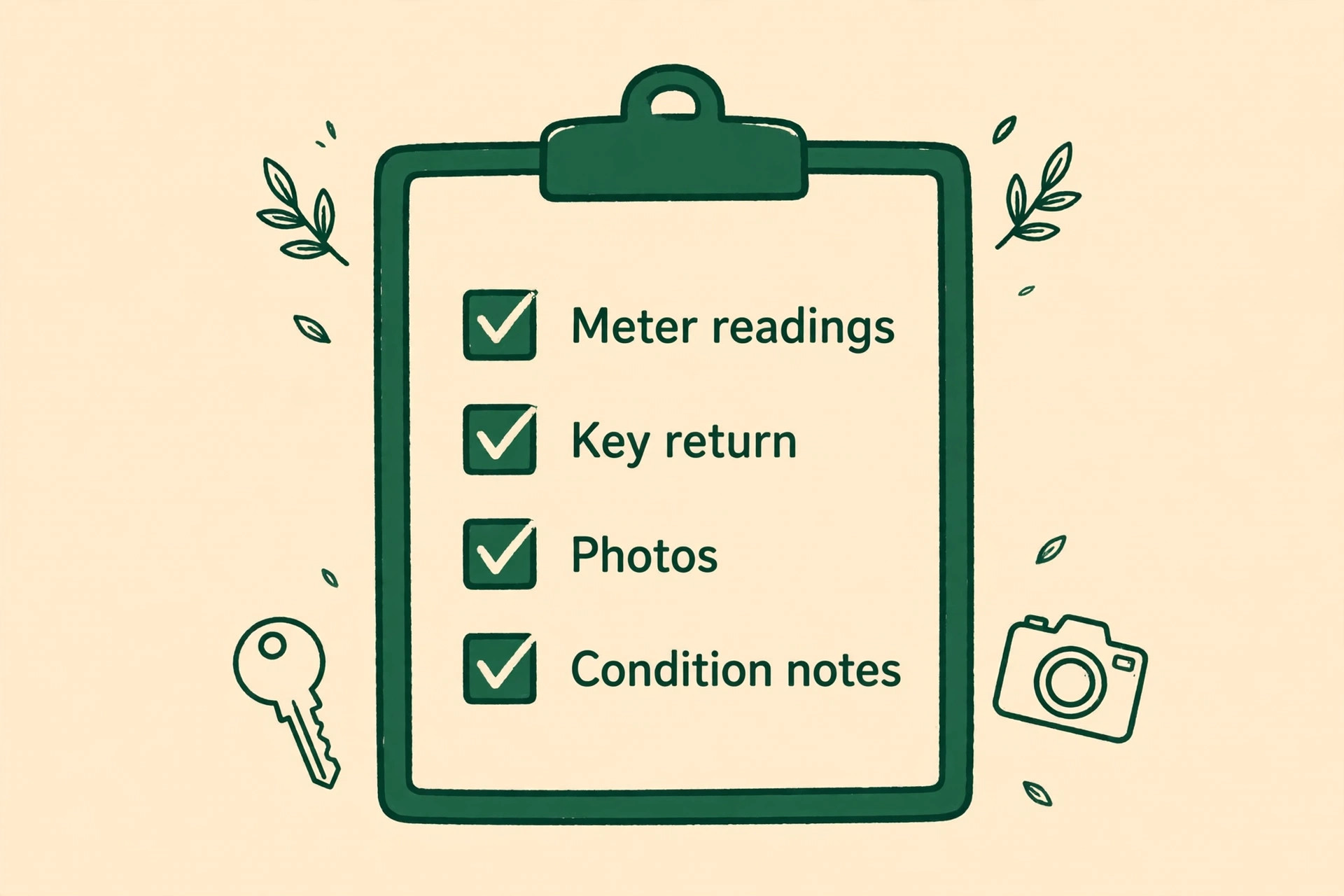
Do not store bank account details, full payment card data, identity document scans, or passwords in Airtable. Store a note about where the secure document lives, such as a password protected drive or your screening provider, and keep the sensitive file out of the base. That habit limits exposure if a view is shared too widely or opened on the wrong device.
Can Airtable replace a property manager?
Airtable can replace much of the admin work a manager does, such as tracking rent, repairs, leases and vendors, but it does not replace judgment, local knowledge, legal compliance, or on the ground presence. You still need to judge repair urgency, handle difficult tenant conversations, check local rules for fees and notices, and visit properties when needed. If you decide to use Airtable for rental property management to self manage, budget time for a weekly rent and repair routine, a monthly property review, and a quarterly lease review.
Your Portfolio on One Screen Before Rent Day
The test for this system is simple. On rent day, can you open one view and say, without searching email, who has paid, who is late, who is partial, and what each property earned this month after repairs. Can you open a second view and say which repairs are urgent, which are stalled, and which vendor owns each job. Can you open a third view and say which leases expire soon. If you can answer those three questions in five minutes, the base is working, even if it has no dashboard, no portal and no fancy design.
Start small, and start this week. Create the base, add one property and one tenant, build the rent and repair tables from the template above, and run one real rent week from Airtable. Fix the field that confused you, test the reminder before you send it to a real tenant, and share the repair form with a short note about response times and the emergency phone route. After a month, add expenses, then inspections, then automations that proved their value in live use. Keep the focus on rent week, repair triage and lease dates. A base that helps on rent day will get used.
Airtable publishes templates and guidance for property style bases, and its template library is a useful starting point if you want a prebuilt structure to adapt rather than building from blank. You can explore an official Airtable template at Airtable templates and check current plan limits on the official Airtable pricing page before you commit to a paid plan.