
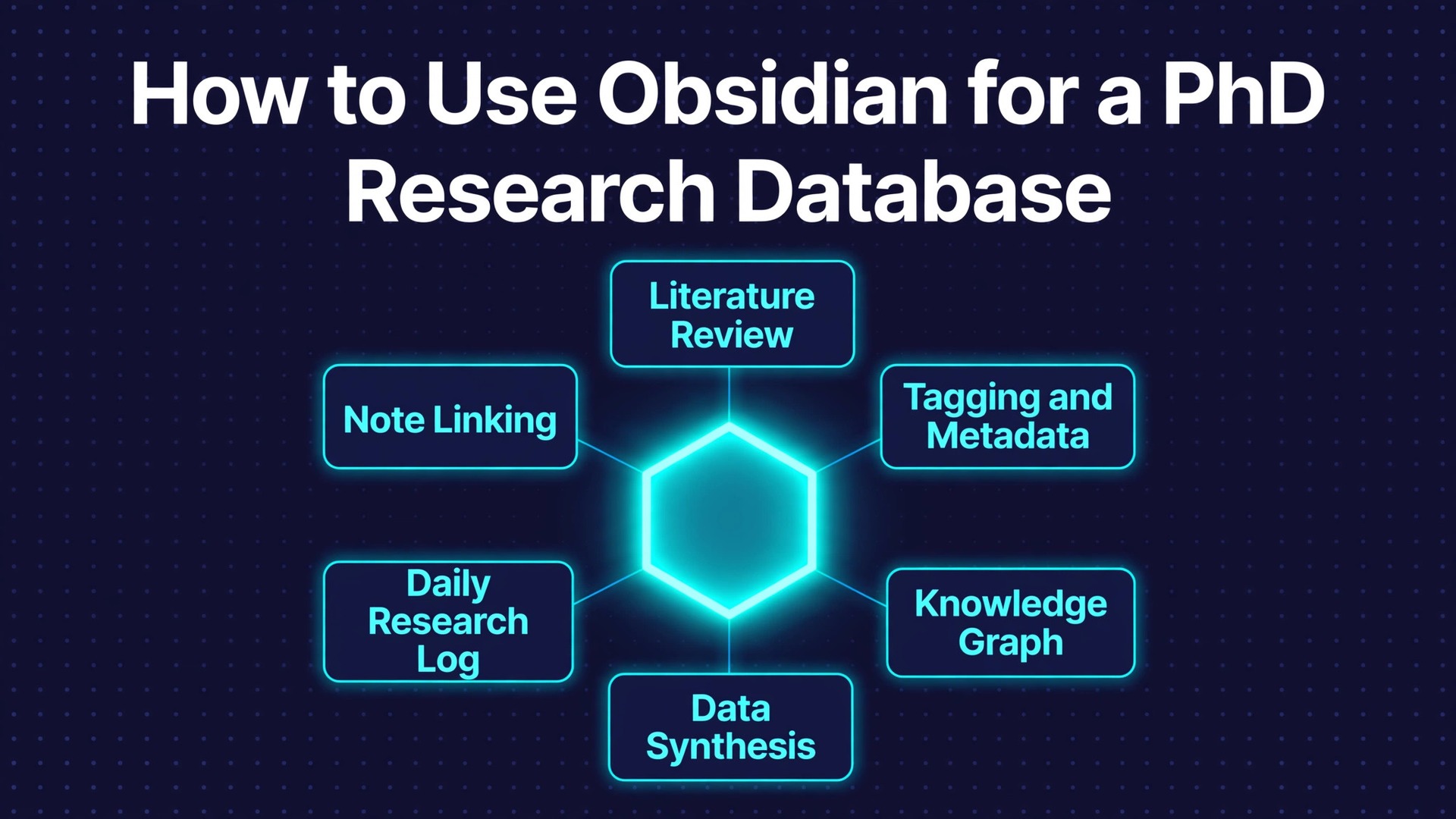
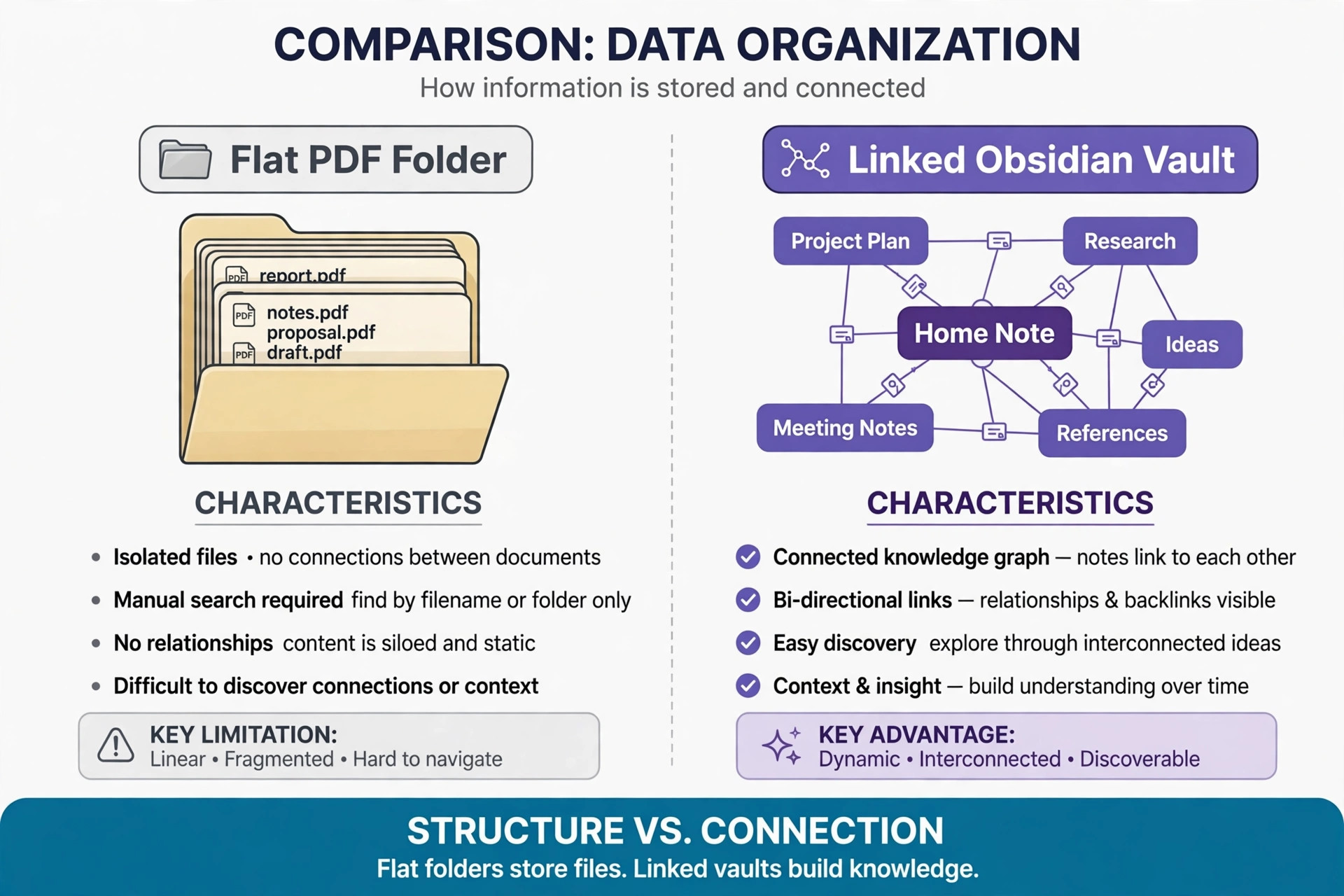
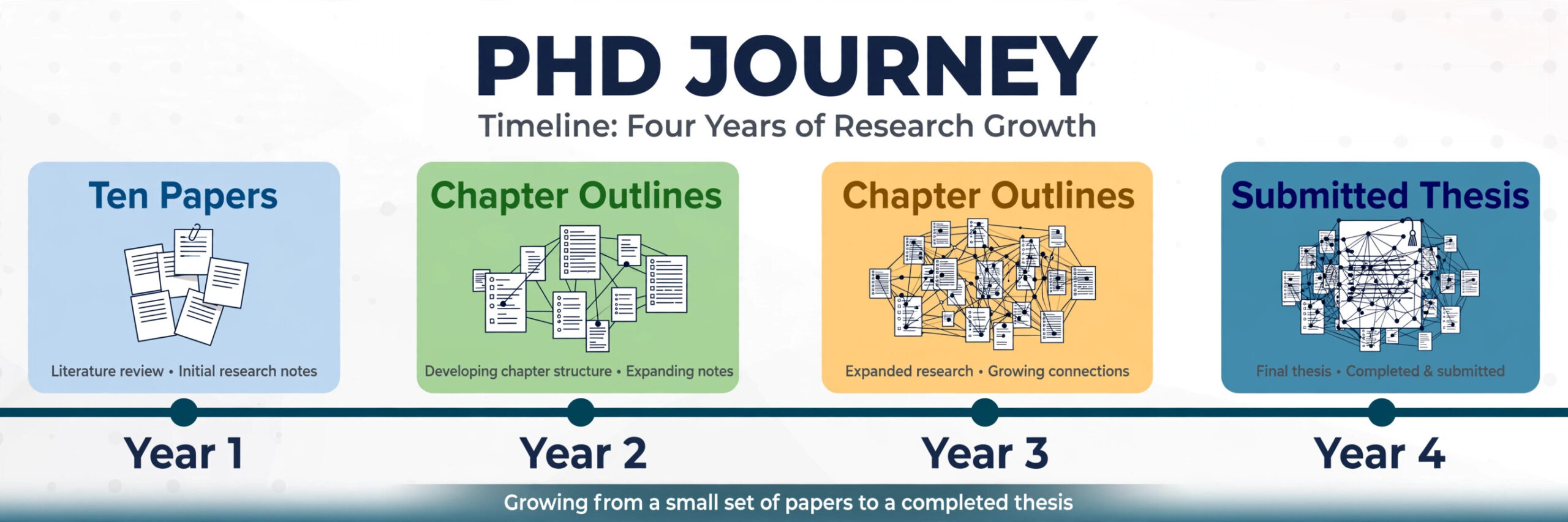
A folder full of PDFs and a research database are not the same thing, and the difference shows up in the third year of a doctorate. The folder answers one question well, which is where a file lives. It answers a harder question badly, which is what that paper argued, how it connects to the twelve papers around it, and whether you already disagreed with it in a note you wrote eighteen months ago. A reference manager answers a different question, which is how to cite a source correctly. Neither tool holds the thinking behind a thesis when you use Obsidian for PhD research.
That gap is why doctoral researchers who try to use Obsidian for PhD research usually do it for one reason. They want a single place where a paper, their notes on it, and their own argument stay linked, searchable, and still readable in ten years.
This guide builds that place from scratch. You will set up a vault with a fixed folder structure, write literature notes that survive re-reading, connect Zotero so citations stay accurate, and turn scattered reading into chapter-ready arguments. It also covers what Obsidian cannot do, what it costs, and the mistakes that turn a promising vault into a second pile of files. Prices change often, so check the official pricing page and checkout before paying for anything mentioned here.
The Folder Problem, Stated Plainly
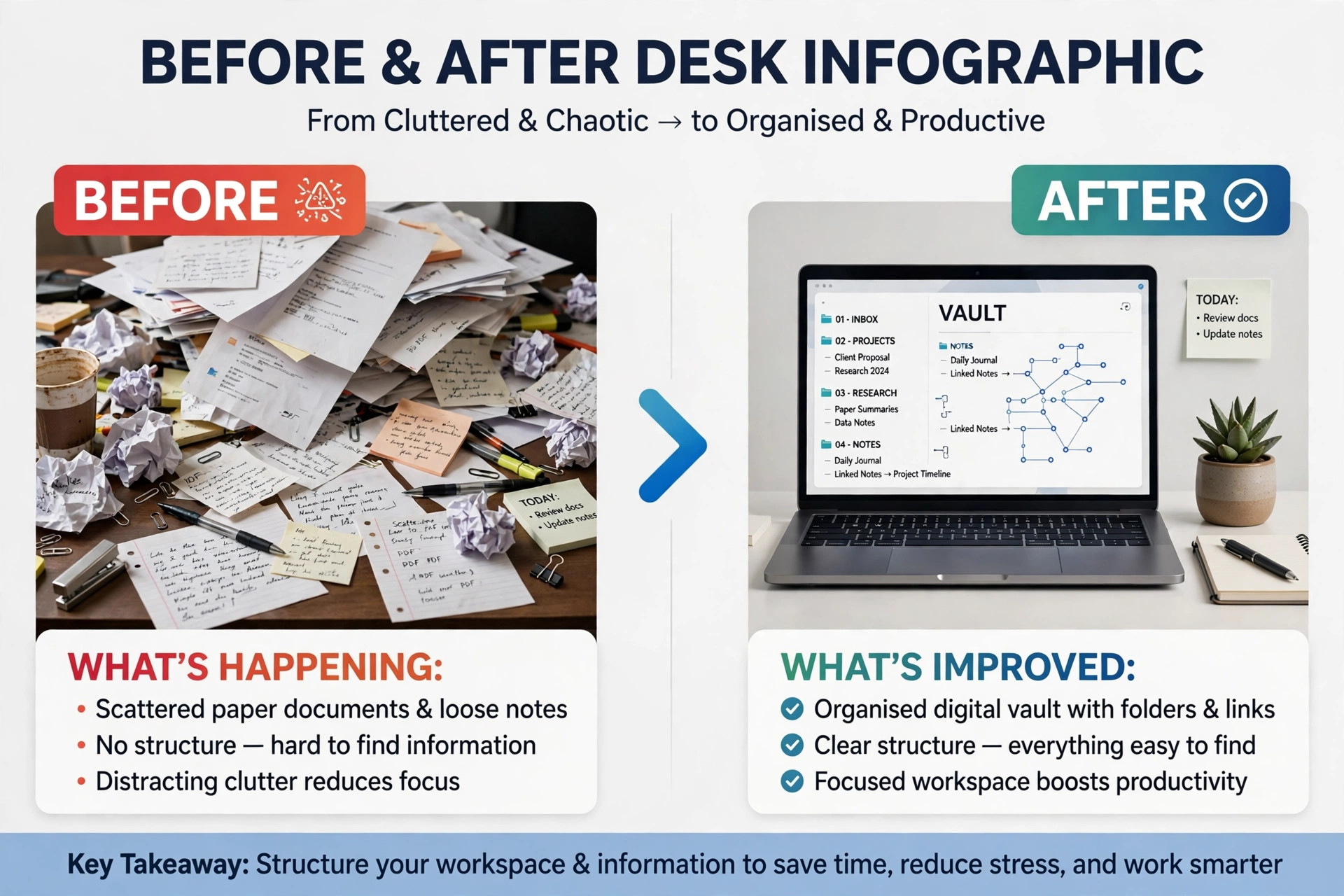
Most PhD filing systems fail in the same quiet way. Year one feels organised because there are only forty papers and the folder names still make sense. Year two adds conference papers, book chapters, preprints, supervisor comments, and field notes, and the folder names start to lie. A paper on interview methods sits in a methods folder, but its argument about ethics belongs in a theory folder too, and a file can only live in one folder at a time. Search finds words, not relationships. It will not tell you that three papers you read in different years all make the same hidden assumption, because that connection was never written down anywhere.
A cloud notebook such as Notion solves the single-folder problem with databases and tags, and it is genuinely good for shared project tracking. Its weakness for a doctorate is different. Your notes live in a hosted database, offline access is limited, and export is rarely as clean as the original. A PhD database is a multi-year asset, and it should survive a subscription change, a university account closure, or a vendor redesign. Obsidian stores every note as a plain Markdown file on your own device. If Obsidian disappeared tomorrow, your notes would still open in any text editor, and your links would still be readable as text.
That durability matters more than any single feature, because a thesis outlives the tools used to write it.
The trade is real and should be stated before you commit. Obsidian gives you almost no structure out of the box. There is no built-in reference database, no ready-made PhD template, and no team workspace that works like a shared document. You build the structure yourself, you choose a small set of plugins, and you maintain the habits that keep it useful. That setup cost is worth paying if you want full control over a system you will use for four or more years, provided you keep it simple enough to maintain under deadline pressure. That control is the core reason to use Obsidian for PhD research rather than renting a prettier system you cannot fully own.
How to Use Obsidian for PhD Research in Five Layers
A workable research vault has five layers, and each layer has one job. Mixing those jobs is how vaults become messy. The layers are sources, literature notes, permanent notes, maps of content, and project notes. Sources are the papers themselves, or links to them, and they belong in a reference manager. Literature notes are your faithful record of one source, what it argued, what evidence it used, and what you thought of it. Permanent notes are your own ideas, written as single claims that can stand alone. Maps of content are index notes that gather links around a question, a method, or a chapter. Project notes are the working documents for a chapter, a paper, or a supervision meeting.
Keeping these layers separate changes how you read. When you finish a paper, you write one literature note, extract a permanent note only if the paper genuinely changed your thinking, and link both to the map that covers that topic. Most papers inform your work without changing its direction, and their literature note is enough.
The Vault Structure Template
Use the structure below exactly as written for the first term, and change it only after you can say why the change helps. The point of a template is to remove daily decisions about where a note goes. Every note has one home folder, and links do the work of placing it in several conversations at once.
“` PhD Vault 00 Inbox 01 Literature Notes 02 Permanent Notes 03 Maps of Content 04 Chapters and Papers 05 Methods and Fieldwork 06 Admin 07 Templates 08 Archive Attachments “`
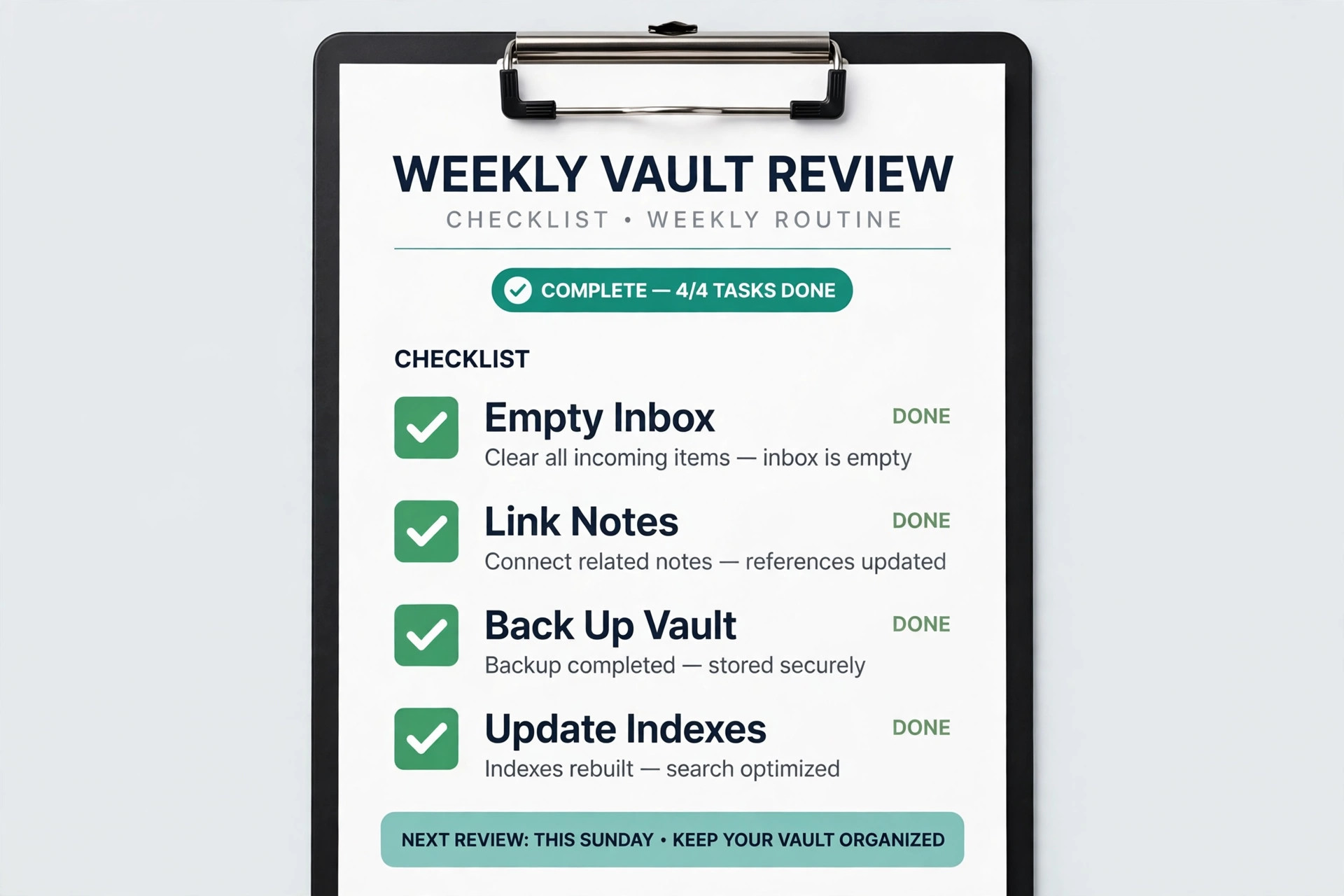
The Inbox is temporary. A new note starts there and moves to its real folder within a week. The Archive holds finished and abandoned work, so active folders stay readable without deleting anything. Keep most PDFs in Zotero, not in the vault, so sync stays fast.
| Folder | What lives there | Rule to keep it clean |
|---|---|---|
| 00 Inbox | Unprocessed notes and clippings | Empty it every Friday, or it becomes a second pile |
| 01 Literature Notes | One note per source | One source, one note, always named by author and year |
| 02 Permanent Notes | Your own claims and ideas | One idea per note, titled as a claim, not a topic |
| 03 Maps of Content | Index notes for questions and chapters | Rewrite a map when it passes about thirty links |
| 04 Chapters and Papers | Outlines and drafts | One folder per chapter or paper, no loose drafts |
| 05 Methods and Fieldwork | Protocols, interview guides, ethics notes | Date every protocol version |
| 06 Admin | Supervision notes, deadlines, funding records | Keep personal data out of any shared or published vault |
| 07 Templates | Note templates only | No working notes live here |
| 08 Archive | Finished and abandoned work | Nothing in the Archive is edited, only read |
Name literature notes by author, year, and a short title fragment, for example Smith 2021 interview ethics. Name permanent notes as claims, for example Interview ethics guidance assumes consent is a single event. A claim title forces you to decide what you actually believe before you file the note, and it makes the graph view readable later, because each node states a position rather than a topic. Tags stay small and boring. Use about ten tags for status and type, such as to read, to summarise, method, theory, and chapter two, and let links carry the topical connections.
When you use Obsidian for PhD research, a tag list with eighty entries is a filing system nobody maintains, so prune tags in the weekly review.
The Literature Note Workflow, Step by Step
A literature note has four parts, and the order matters. First comes the citation block, with the full reference, the citekey from Zotero, a link back to the Zotero record, and the PDF location. Second comes a summary in your own words, limited to about five sentences, covering the research question, the method, the main finding, and the limitation that matters most for your work. Third comes the evidence section, with short quotes or paraphrases, each with a page number, and each kept separate from your commentary. Fourth comes your response, where you state what you agree with, what you dispute, and how this paper changes, supports, or complicates your thesis question.
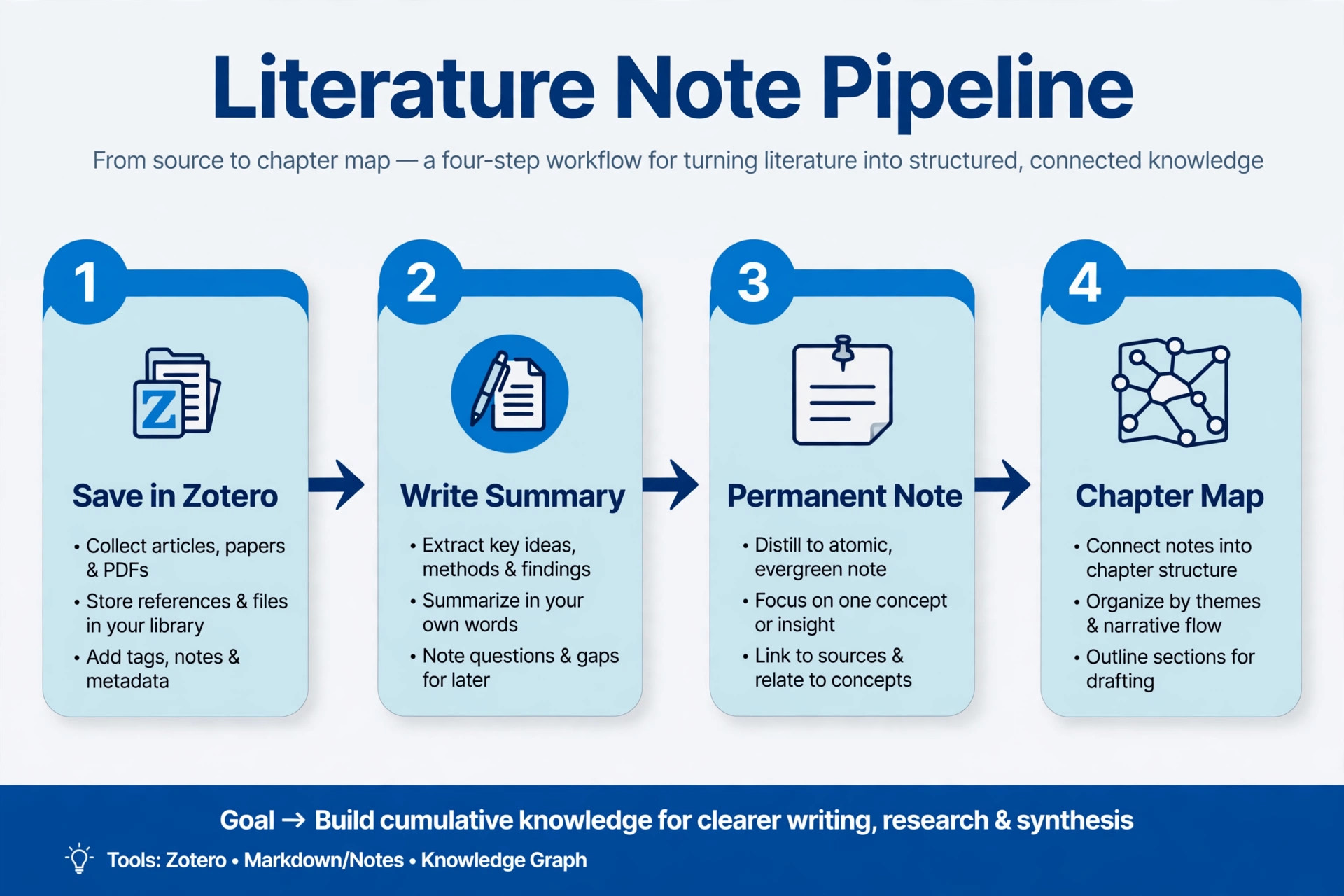
Follow this sequence for every paper you intend to cite. Step one, save the paper in Zotero and check the metadata before you read, because a wrong author name or year copied into Obsidian will travel into your bibliography later. Step two, read with a pen, either in the Zotero PDF reader or on paper, and mark only passages you can imagine quoting or disputing. Step three, import the highlights into Obsidian using the Zotero Integration plugin, or copy the handful that matter by hand if you prefer a slower pass. Step four, write the summary before you look at the highlights again, so the summary reflects what you understood rather than what you underlined.
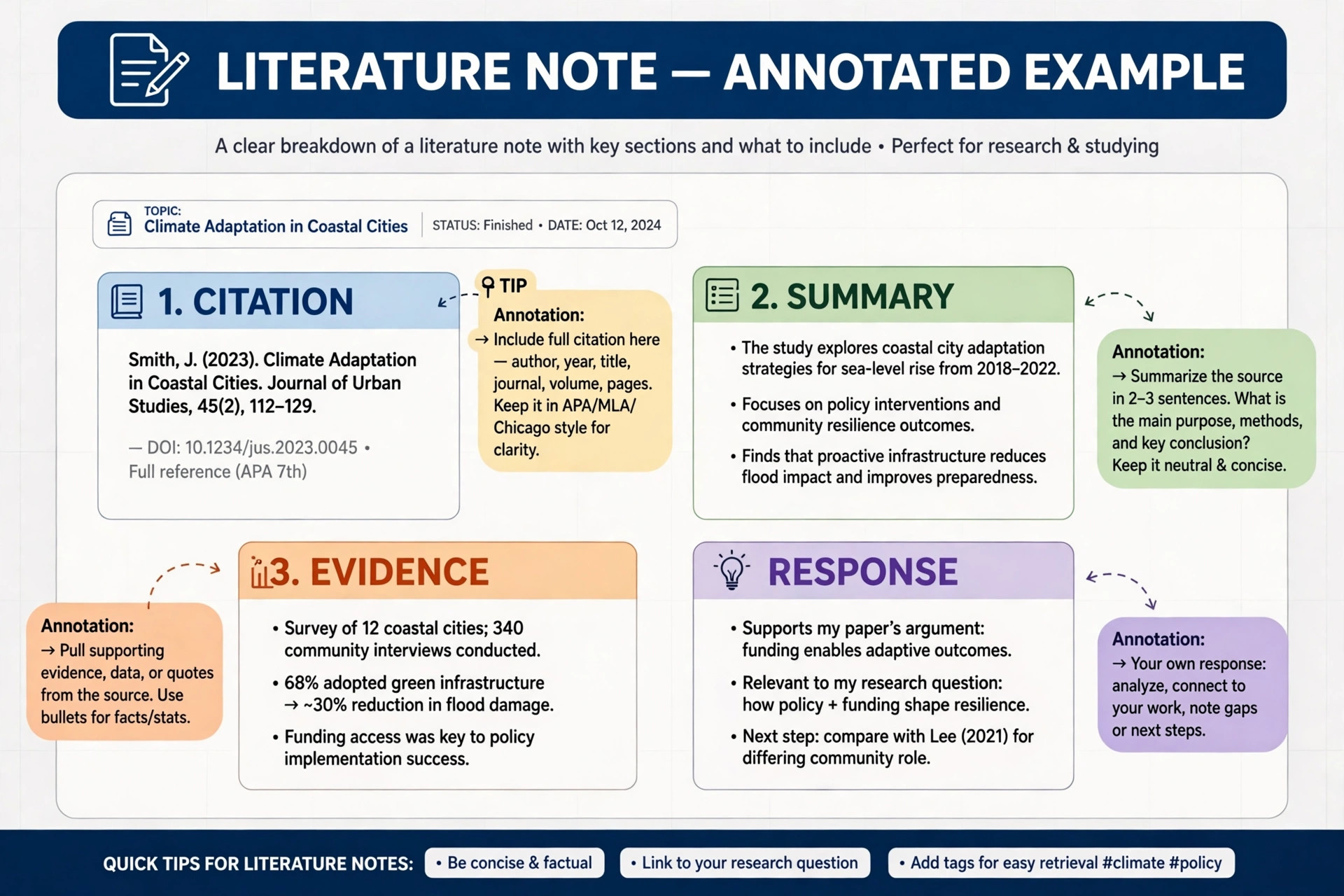
Step five, add the evidence and your response, then link the note to the relevant map of content and to any permanent notes it supports or challenges.
The test of a finished literature note is simple. A year later, you should be able to reconstruct the paper’s argument and your judgment of it without reopening the PDF. If you cannot, the note recorded highlights instead of understanding, and it will not save you time when you write. Budget about forty-five minutes for an average journal article, and longer for a dense theory chapter. If you use Obsidian for PhD research, that time feels slow in week one and fast in year three, when the alternative is re-reading a paper you already read twice.
Connect Zotero Without Duplicating Your Library
Zotero remains the home of your references, and Obsidian remains the home of your thinking. Do not try to make either tool do the other’s job. Zotero stores the bibliographic record, the PDF, and the annotations, and it inserts citations into Word, LibreOffice, or Google Docs. Obsidian stores the literature note, the permanent notes, and the maps that connect them. The bridge between the two is a citekey, a short stable identifier such as smith2021interviewethics, generated by the Better BibTeX plugin for Zotero, plus a link from each Obsidian note back to its Zotero record.
Set up the bridge in this order. Install Zotero and the Zotero Connector for your browser, then install Better BibTeX and let it generate citekeys for your library. In Obsidian, install the Zotero Integration plugin and point it at your Zotero database, then set a literature note template that pulls in the title, authors, year, journal, and citekey automatically. Test the setup with three papers before you import anything at scale, and check that the citekeys match between Zotero and Obsidian. A mismatch here is a small fix now and a bibliography error later.
Decide where PDFs live and stick to the decision. One clean option is to keep PDFs in Zotero and keep only links in Obsidian, which keeps the vault small and fast to sync. The other clean option is to keep PDFs in the vault’s Attachments folder and link them from literature notes, which suits researchers who annotate on a tablet and want the file beside the note. Both work. What fails is mixing the two without a rule, because then nobody, including you, knows which copy is current. Researchers who use Obsidian for PhD research and keep PDFs in two places usually discover the problem during a deadline week, which is the worst time to fix it.
Turn Reading Notes Into Arguments
Permanent notes are where a research database earns its keep, and they are also where most vaults go wrong. A permanent note is not a summary. It is one idea, stated as a claim, supported by links to the literature notes that back it or challenge it, and written so that a stranger could understand it without the original paper open. If a note needs three paragraphs of context to make sense, it is probably three notes hiding in one file, and it should be split. Short, claim-titled notes link cleanly, and clean links are what make the graph view useful instead of decorative.
Maps of content are the second half of this system. A map is a note whose main content is a structured list of links, grouped under headings that reflect a question or a chapter argument. A map for a methods chapter might group links under sampling, analysis, ethics, and limitations. A map for a literature review might group links by competing explanation rather than by author, which immediately shows where the debate sits and where your contribution fits. Build maps slowly, from your permanent notes, not from your reading list. A map built from a reading list is a bibliography with headings. A map built from permanent notes is an argument with evidence attached.
Use the graph view as a check, not as a daily workspace. Once a month, open the graph filtered to one map and look for orphans, which are notes with no links, and for clusters that have grown dense without a map to explain them. Orphans usually mean a note was filed but never connected, and dense clusters usually mean a new map is needed. Canvas, the whiteboard view in Obsidian, is useful for arranging a chapter argument visually before you write it. Drag permanent notes onto a canvas, group them into a sequence, and the gaps in the sequence become the paragraphs you still need to research.
Write Chapters From the Vault
Chapter writing starts in a project note, not in a blank document. Open the map for the chapter, read its permanent notes in sequence, and draft an outline where each section heading is supported by two or three note links. That outline is your evidence check. A section with no supporting notes is a section you have not researched yet, and it is better to discover that at outline stage than at draft stage. Write the first draft in Obsidian in plain Markdown, quoting your own permanent notes rather than copying literature notes wholesale, because the permanent notes already contain your phrasing and your judgment.
Citations need care at this step, because Obsidian is not a word processor and does not manage a bibliography on its own. The practical route for most doctoral writers is to draft in Obsidian, then move the draft to Word or a LaTeX editor for final citation formatting, using Zotero to insert and format references there. Keep the citekeys visible in the Obsidian draft, so the transfer is mechanical rather than a fresh round of detective work. If your department requires LaTeX, export from Zotero in BibTeX format and keep the same citekeys throughout, because a citekey change midway through a thesis breaks every reference that uses it.
Keep supervisor feedback in the vault too, in the Admin folder, dated and linked to the chapter it concerns. A comment such as clarify the sampling rationale is useful only if you can find it again, and a dated feedback note linked to the chapter outline turns scattered email comments into a revision checklist.
What It Costs, and What You Can Skip
The core Obsidian app is free on desktop and mobile, with no account required and no feature limit on the app itself. Paid features are optional add-ons, not tiers that unlock the app, so you can run a full PhD vault for nothing if you sync through a service you already use.
| Item | Listed price at draft time | Who actually needs it |
|---|---|---|
| Obsidian app | Free | Everyone, this is the whole app |
| Obsidian Sync | About 4 dollars a month billed annually, or 5 dollars monthly | Researchers who want encrypted sync with version history across devices |
| Obsidian Publish | About 8 dollars a month billed annually, or 10 dollars monthly per site | Almost nobody during a PhD, unless you run a public research site |
| Catalyst licence | About 25 dollars one time | Supporters who want early builds, it unlocks no features |
| Optional commercial licence | About 50 dollars per user per year | Organisations that buy it to support development, not a requirement for individual use |
| Zotero app and library sync | Free | Everyone, citations and library data sync free |
| Zotero file storage | Free to 300 MB, then 20 dollars a year for 2 GB, 60 dollars for 6 GB, 120 dollars for unlimited | Researchers whose PDF collections outgrow the free allowance |
Students and staff at many institutions also qualify for a discount of about 40 percent on Obsidian Sync and Publish, so check the education offer before paying full price. The honest three-year cost for most people who use Obsidian for PhD research is either zero, using a cloud folder or Git for sync, or about 144 dollars for three years of Sync at the annual rate. Compare that with a hosted notebook subscription charged per seat per month for the same period, and the difference pays for a conference trip or a year of Zotero storage.
Skip Publish entirely during the doctorate unless you have a specific public site to run, and skip paid plugins, because the community plugins that matter for research are free.
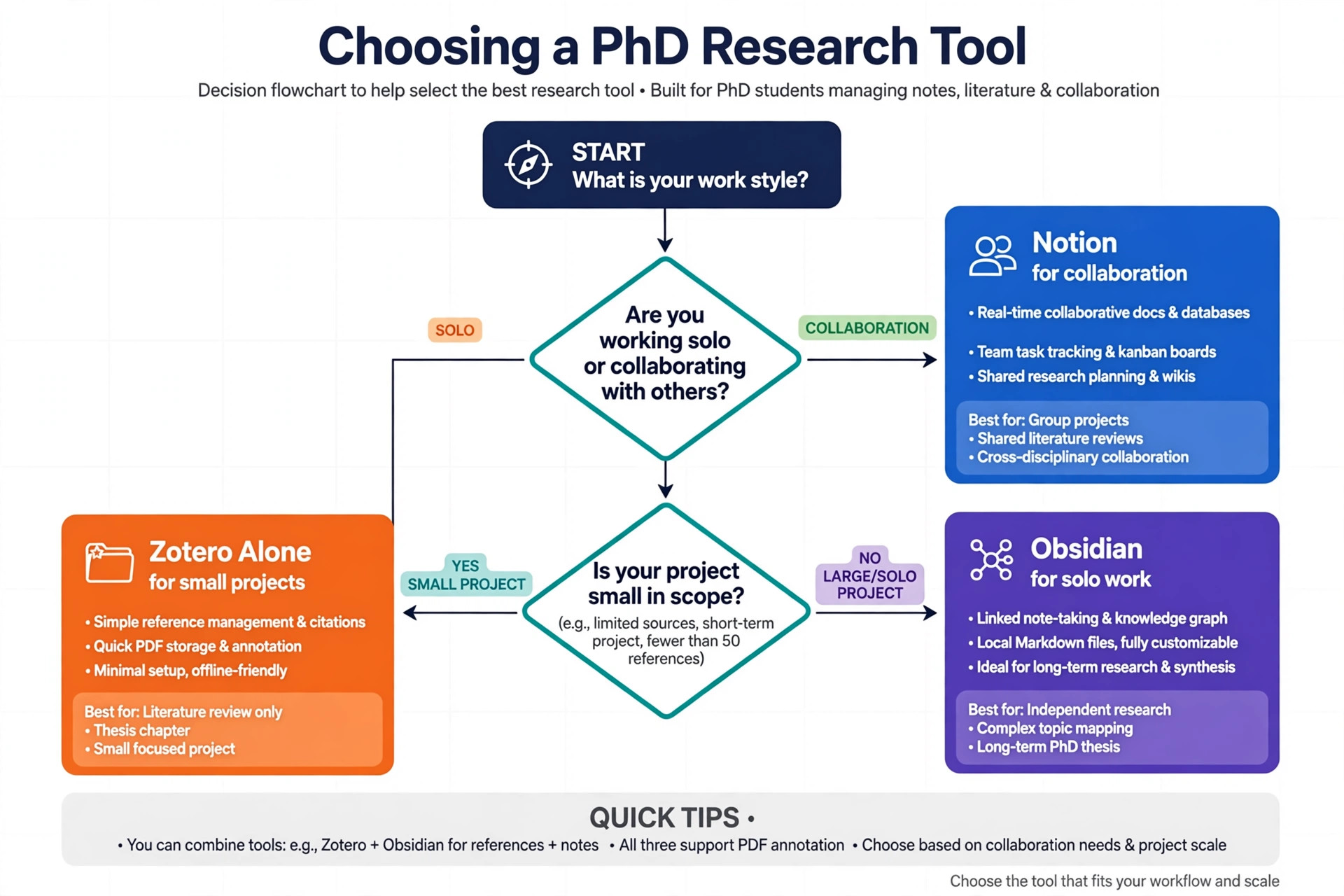
How to Choose Between Obsidian, Notion, and Zotero Alone
The right tool depends on what breaks first in your current system. If you lose citations and formatting, the problem is reference management, and Zotero alone may be enough. If you lose track of what you thought about papers you read, the problem is thinking, and Obsidian earns its place. If you need a shared workspace where a supervisor or a lab team edits the same pages in real time, the problem is collaboration, and a hosted tool such as Notion fits better, because Obsidian has no same-file live co-editing. Be honest about which problem you actually have, because buying a thinking tool to fix a collaboration problem leaves both problems unsolved.
| Situation | Best fit | Why |
|---|---|---|
| Solo doctorate, long timescale, offline work matters | Obsidian plus Zotero | Local files, durable links, free core app |
| Lab team sharing pages and deadlines daily | Notion or a shared workspace plus Zotero | Real-time editing and permissions built in |
| Short project with under fifty sources | Zotero alone | No vault setup cost, citations already handled |
| Fieldwork with poor internet | Obsidian plus Zotero | Full offline access, sync when connectivity returns |
| Supervisor must comment directly on drafts | Word plus Zotero | Comment and track changes workflow examiners expect |
A hybrid setup is legitimate. Many researchers keep a shared workspace for lab administration while keeping their thinking vault in Obsidian. Copying everything into both tools doubles maintenance and guarantees the copies drift apart. Choose one home for thinking, one home for references, and one home for shared work.
Mistakes That Quietly Break a Research Vault
The first mistake is installing thirty plugins in week one. Each plugin adds a feature and a maintenance cost, and a vault that depends on many plugins breaks in small ways after every update. Start with the core plugins plus Zotero Integration, Templater or the core Templates plugin, and Dataview only if you have a specific query you need, such as listing all literature notes without a summary. Add a plugin only when a repeated task hurts, and remove one that you have not used in a month. A vault that works with five plugins will still work in year four.
The second mistake is treating the graph view as proof of progress. A dense, colourful graph feels like research, but a graph with hundreds of unlabelled links proves only that you linked words together. Check the graph monthly, as described above, but judge the vault by a harder test. Can you write a two-page summary of a chapter from your permanent notes without reopening a single PDF? If yes, the vault works. If no, the vault is a collection, not a database, and the fix is writing better permanent notes, not adding more links.
The third mistake is never emptying the Inbox. An Inbox with two hundred notes is not an inbox, it is an unfiled archive, and it teaches you to stop trusting the vault because search returns unprocessed material alongside finished notes. Protect a weekly thirty-minute review. Move each inbox note to its folder, link it, or delete it. People who use Obsidian for PhD research and skip this review usually abandon their vault in year two, not because the tool failed but because the inbox did.
The fourth mistake is writing literature notes that only summarise. A summary without your response is a book report, and it will not help you argue anything later. Every literature note needs at least one sentence of judgment, even if the judgment is that the paper is useful but limited to one context. That sentence is the seed of your thesis argument, and a vault full of such sentences is a draft literature review waiting to be organised.
The fifth mistake is keeping sensitive material in a synced or shared vault without thinking. Interview transcripts, identifiable field notes, and unpublished data need the protections your ethics approval requires, which may mean a separate encrypted vault or anonymised notes only. Decide this with your supervisor and your ethics board before you import field material, not after.
Backups, Sync, and the Supervisor Test
A vault is a single folder, which makes backup simple and makes loss catastrophic if you skip it. Keep three copies. The working copy lives on your laptop, a second copy syncs through Obsidian Sync, a cloud folder, or Git, and a third copy sits on an external drive or a university backup, updated monthly. Test the restore, because a backup you have never opened is a hope, not a backup. Obsidian Sync includes version history, and Git gives you a full change history for text files.
Sync choices have trade-offs worth naming. Obsidian Sync is encrypted end to end, handles mobile well, and includes version history, which is why many researchers pay for it despite the free app. A cloud folder through iCloud, Dropbox, or OneDrive costs nothing extra if you already pay for storage, but it can create sync conflicts on mobile and it does not give you Obsidian-specific version history. Git gives you the best version history for text, but it needs comfort with commits and it handles large binary files badly, so keep PDFs in Zotero if you sync the vault with Git.
The supervisor test is the final check before you rely on the system. Show your supervisor a map of content for one chapter, the permanent notes behind it, and one literature note with its Zotero link. If they can follow your argument from the map to the evidence in under ten minutes, the vault is doing its job. If they cannot, the problem is usually note titles, missing links, or maps that list sources instead of arguments. Fix those three things before you add any new tool, because no plugin repairs an unclear argument.
For wider reading on the surrounding toolkit, best AI citation generators compares citation help beyond Zotero, best AI research tools covers discovery and analysis tools that sit beside a vault, and best AI academic writing tools helps with the drafting stage after notes are organised. If you are still deciding between note apps, notion vs Obsidian lays out the local versus cloud trade-off in full, and best note taking apps places Obsidian among the wider field. Students building a broader study system may also find AI tools for students useful for the parts of doctoral life that are not note taking.
Frequently Asked Questions
Is Obsidian free for PhD research?
Yes. The desktop and mobile apps are free, with no account required and no feature limit on the app itself. You pay only if you choose Obsidian Sync for encrypted cross-device sync, Obsidian Publish for a public site, or an optional supporter or commercial licence. Check the official pricing page and checkout before paying, because education discounts and listed rates change.
Do I still need Zotero if I use Obsidian for PhD research?
Yes, for most doctoral writers. Zotero manages the bibliographic record, stores and annotates PDFs, and inserts formatted citations into Word, LibreOffice, or Google Docs. Obsidian manages your notes, links, and arguments. Together they cover the journey from finding a paper to citing it correctly.
How many notes should a PhD vault contain?
There is no target number, and chasing one creates filler. A typical doctorate might produce one literature note per cited source, which could be a few hundred, plus a smaller number of permanent notes, often one per genuine idea rather than one per paper. Judge the vault by whether chapter outlines can be built from its notes, not by its note count or by how dense the graph looks.
Can I use Obsidian on a phone or tablet for reading?
Yes. The mobile apps are free and open the same vault, and many researchers read and annotate on a tablet. Sync is the part to plan carefully, because the official Sync service handles mobile most smoothly, while a cloud folder can be fiddly on mobile and Git needs a separate mobile setup. Test mobile sync with ten notes before you depend on it during fieldwork or travel.
What happens to my notes if I stop using Obsidian?
Your notes remain as plain Markdown files in a folder on your device, readable in any text editor and importable into many other tools. Links are written as plain text, so the connection structure survives even without the app. That portability removes the risk of losing years of thinking to a subscription or a shutdown.
Should my supervisor be able to access my Obsidian vault?
Usually not directly. A vault is a personal thinking space, and supervisors generally work better from chapter drafts, maps of content exported as outlines, or shared documents with comments. Share a chapter outline or a draft in Word when feedback is needed, and keep the vault private, especially where it contains unpublished ideas, identifiable field material, or frank judgments about published work.
Your Thesis, Searchable on the Day You Need It
A PhD research database is not judged in the month you build it. It is judged in the month you write, when a supervisor asks where a claim came from or an examiner questions a method choice. On that day, a folder of PDFs makes you search, a reference manager makes you cite, and a well-kept vault makes you answer, because the paper, your summary, your judgment, and the links around it are one click apart. That standard is reachable with a fixed structure, a strict literature note habit, and a weekly review you actually keep.
Start this week with the ten-paper test. Create the vault, copy the folder structure, install Zotero and the integration plugin, and write ten literature notes and one map of content. If you use Obsidian for PhD research with that small test first, the workflow either proves itself or breaks while the fix is still cheap. Four years from now, the difference between a pile of files and a research database will not be the tool you chose. It will be the notes you wrote, the links you kept, and the weekly habit that stopped the pile from coming back.